Lucky Orange vs Microsoft Clarity: 2026 Comparison – Features, Pricing, and Shopify Insights
You’re comparing two behavior analytics tools that take fundamentally different approaches: one is completely free with solid basics, the other is a paid suite with advanced conversion features. The right choice depends on whether you need simple heatmaps and recordings or a full optimization toolkit with live chat, funnels, and form analytics.
This comparison breaks down the features, pricing, and real-world limitations of both platforms—including what neither tool handles well for Shopify stores.
>> You may also like:
- 10 Best Microsoft Clarity Alternatives for eCommerce Stores
- 10 Best Lucky Orange Alternatives for Conversion Optimization in 2026
What Are Microsoft Clarity and Lucky Orange
Microsoft Clarity is a completely free behavior analytics tool that provides heatmaps, session recordings, and an insights dashboard. Lucky Orange is a paid conversion optimization suite with advanced features like live chat, on-site surveys, and conversion funnels. The choice between them typically comes down to budget and specific needs—Clarity for free basic insights, Lucky Orange for deeper conversion tools.
Both platforms fall into the category of behavior analytics, which shows you what visitors actually do on your site rather than just aggregate numbers. Google Analytics tells you 500 people visited your product page. Behavior analytics reveals that 400 of them never scrolled past the first image.
Microsoft Clarity vs Lucky Orange Pricing Breakdown
Pricing often becomes the deciding factor, so let’s look at what each platform actually costs.
Microsoft Clarity free plan details
Clarity is completely free with no paid tiers available. You get unlimited session recordings, unlimited heatmaps, and no pageview caps. Microsoft funds the service by using aggregated, anonymized data to improve its own products and machine learning models.
Lucky Orange paid tiers and free trial
Lucky Orange uses tiered pricing based on monthly pageviews. Plans start around $39/month for smaller sites and scale upward as traffic grows. A 7-day free trial lets you test the platform before committing.
| Aspect | Microsoft Clarity | Lucky Orange |
| Free Option | Unlimited free forever | 7-day free trial only |
| Paid Plans | None | Multiple tiers based on traffic, starting from $19 / month |
| Cost Scaling | No cost increase | Increases with sessions |
Microsoft Clarity Key Features
Clarity focuses on doing a few things well rather than offering an extensive feature set.
Heatmaps and click maps
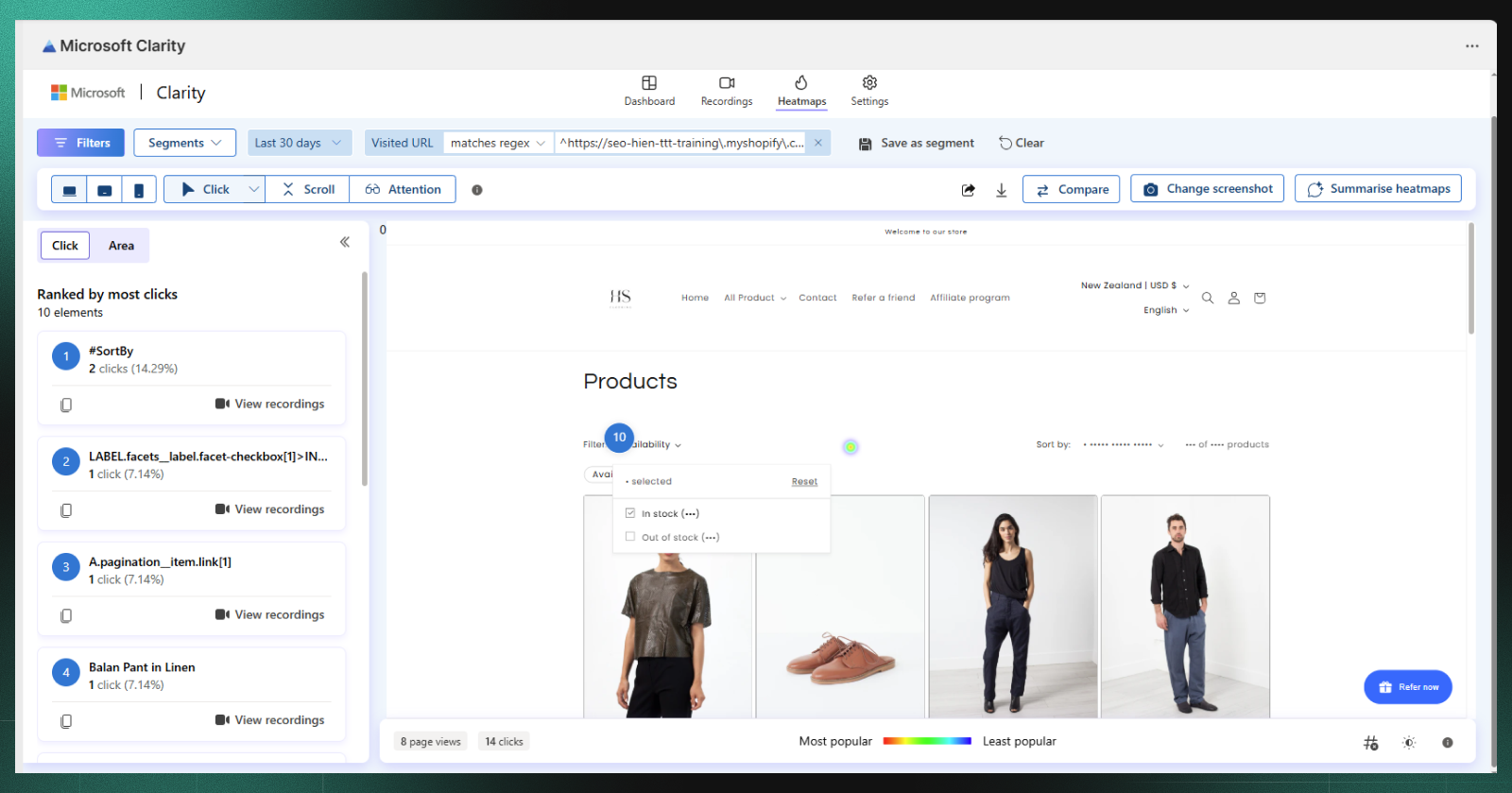
Click heatmaps show where visitors click most frequently using color-coded overlays. Red and orange indicate high activity, while blue and green show ignored areas. Scroll heatmaps reveal how far down the page visitors read before leaving.
Session recordings
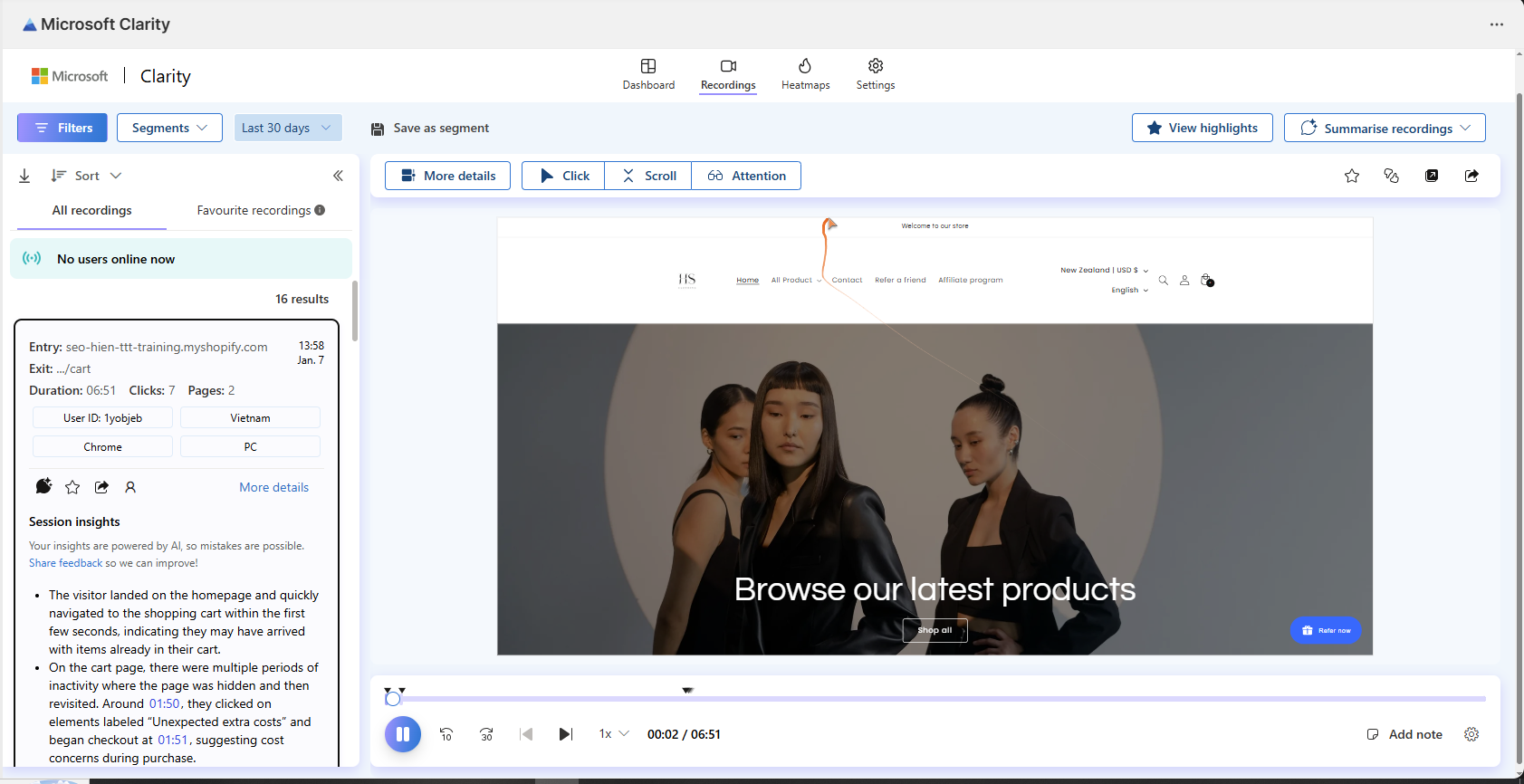
Session recordings are video-like playbacks of individual visitor journeys. You watch exactly what a user saw, where they clicked, and how they navigated through your site. This transforms abstract bounce rate numbers into observable behavior.
Rage clicks and dead clicks
Rage clicks happen when visitors repeatedly click the same area out of frustration—usually because something isn’t responding as expected. Dead clicks occur when visitors click on non-clickable elements, signaling confusion about your interface. Both metrics help identify UX problems that traditional analytics miss entirely.
Google Analytics integration
Clarity connects natively with Google Analytics 4, letting you combine behavior data with traffic source information. You can see which campaigns drive engaged visitors versus which bring people who leave immediately.
Lucky Orange Key Features
Lucky Orange positions itself as an all-in-one conversion optimization suite with features beyond basic heatmaps.
Dynamic heatmaps and scroll maps
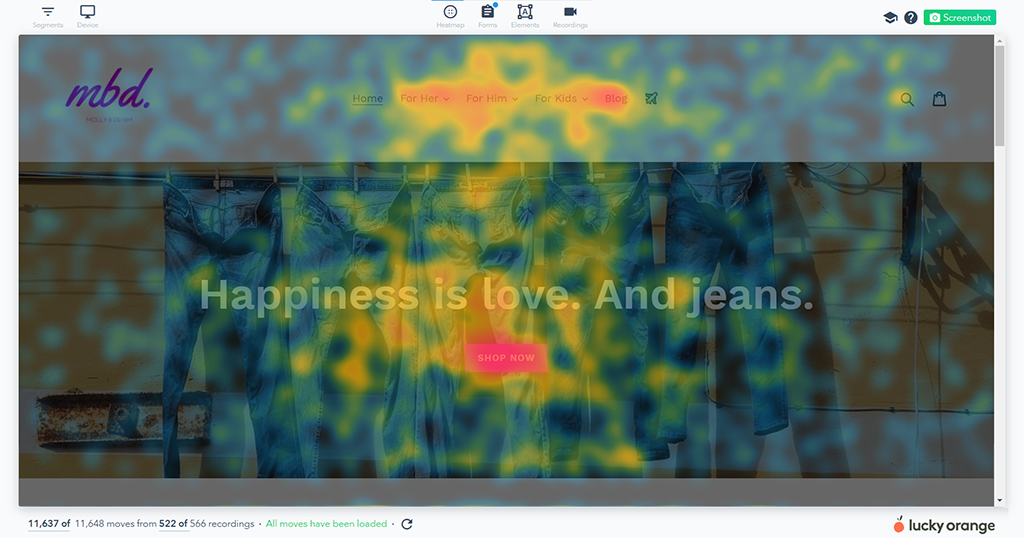
Dynamic heatmaps capture interactions on elements that change or move, such as dropdown menus, tabs, or image carousels. Static heatmaps can’t track interactive elements accurately, so dynamic tracking matters for modern websites with lots of moving parts.
Lucky Orange heatmap
Session recordings with visitor profiles
Recordings tie to visitor profiles that show a user’s return visit history. You can see a single customer’s behavior across multiple sessions, which helps you understand the full journey from first visit to purchase—or abandonment.
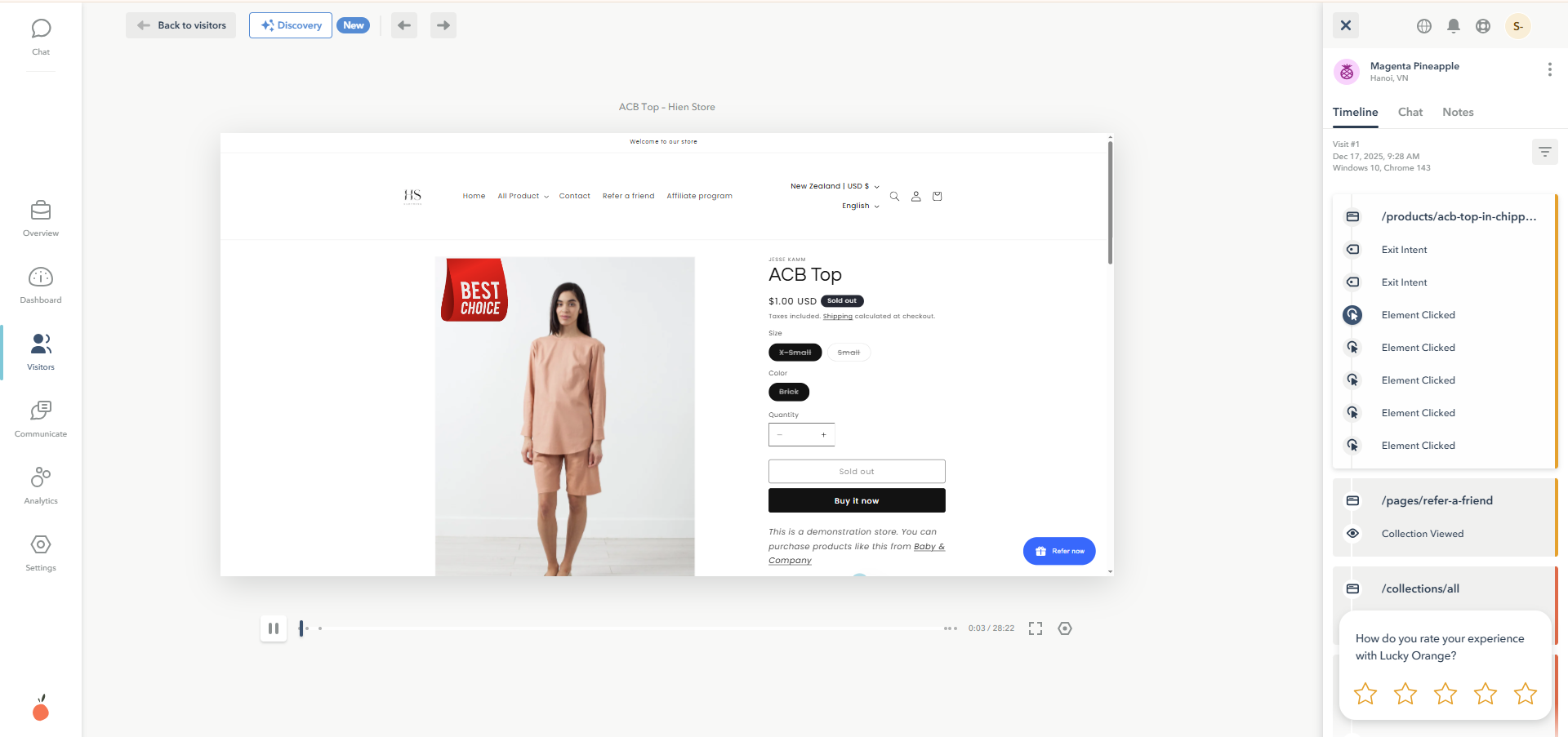
Lucky Orange session replays Interface
Live chat and surveys
The built-in live chat widget lets you talk to visitors in real time, and you can trigger conversations based on behavior patterns. On-site surveys capture direct customer feedback at critical moments, giving you qualitative data alongside the quantitative behavior tracking.
Conversion funnels and form analytics
Conversion funnels track visitor progress through multi-step processes like checkout flows, showing exactly where people drop off. Form analytics reveals which specific form fields cause visitors to abandon—maybe your phone number field is confusing, or your address validation is too strict.
Side by Side Feature Comparison Table
| Feature | Microsoft Clarity | Lucky Orange |
| Heatmaps | ✓ | ✓ |
| Session Recordings | ✓ | ✓ |
| Rage/Dead Click Detection | ✓ | ✓ |
| Live Chat | ✗ | ✓ |
| On-Site Surveys | ✗ | ✓ |
| Conversion Funnels | ✗ | ✓ |
| Form Analytics | ✗ | ✓ |
| Visitor Profiles | Basic | Advanced |
| Google Analytics Integration | Native | Available |
| Pricing | Free | Paid tiers |
Heatmaps and Click Tracking Compared
Both tools offer heatmaps, but the depth and flexibility differ.
Heatmap types and visualization quality
Clarity provides click, scroll, and area heatmaps with clean visualizations. Lucky Orange offers similar types but adds dynamic heatmaps that track interactions on changing content. The visual quality is comparable, though Lucky Orange’s interface feels more polished overall.
Dynamic content and SPA support
Single-page applications (SPAs) and dynamic content create tracking challenges because the page URL doesn’t change when content updates. Lucky Orange handles dynamic elements better with its dynamic heatmap technology. Clarity can struggle with complex interactive elements.
Scroll depth and attention metrics
Both tools show how far visitors scroll. Lucky Orange provides more granular attention metrics—you see not just where people stopped scrolling, but how long they spent in each section of the page.
Session Recording and Replay Compared
Session recordings are where you’ll spend most of your analysis time, so the differences here matter.
Recording limits and data retention
Clarity offers unlimited recordings with 30-day retention. Lucky Orange limits recordings based on your pricing tier, with higher plans offering longer storage periods. For high-traffic stores, Clarity’s unlimited approach provides more historical data to analyze.
Filtering and segmentation capabilities
Lucky Orange offers more sophisticated filtering options:
- Visitor profile filters: Segment by returning vs. new visitors
- Form interaction filters: Find sessions where users interacted with specific forms
- Custom event filters: Track specific actions you define
Clarity’s filtering is more basic—you can filter by device, country, and some behavior signals, but the options are limited in comparison.
Playback controls and navigation
Both tools offer standard playback controls like speed adjustment and the ability to skip inactivity. Lucky Orange’s interface makes it slightly easier to jump to key moments, while Clarity’s playback is functional but less refined.
Ecommerce and Shopify Tracking Capabilities
Here’s where both tools show their limitations for online stores. Neither was built specifically for ecommerce.
Checkout and cart abandonment tracking
Tracking checkout behavior requires additional setup with both platforms. Shopify’s hosted checkout page creates particular challenges because it’s on a different domain, and general-purpose analytics tools weren’t designed to handle this seamlessly.
Revenue and order attribution
Connecting session recordings to actual purchases and revenue requires manual configuration in both tools. Neither automatically shows which sessions led to completed orders—you’ll set up custom events or use workarounds to make this connection.
Native platform integration vs manual setup
Both tools require manual installation on Shopify stores, and neither offers a native Shopify app with deep integration. This means you’re missing out on automatic checkout event tracking, cart value filtering, and revenue attribution that purpose-built alternatives provide.
If you’re running a Shopify store and want behavior analytics that automatically connects to your checkout flow and revenue data, MIDA offers native Shopify integration with abandoned cart filtering and order attribution built in.
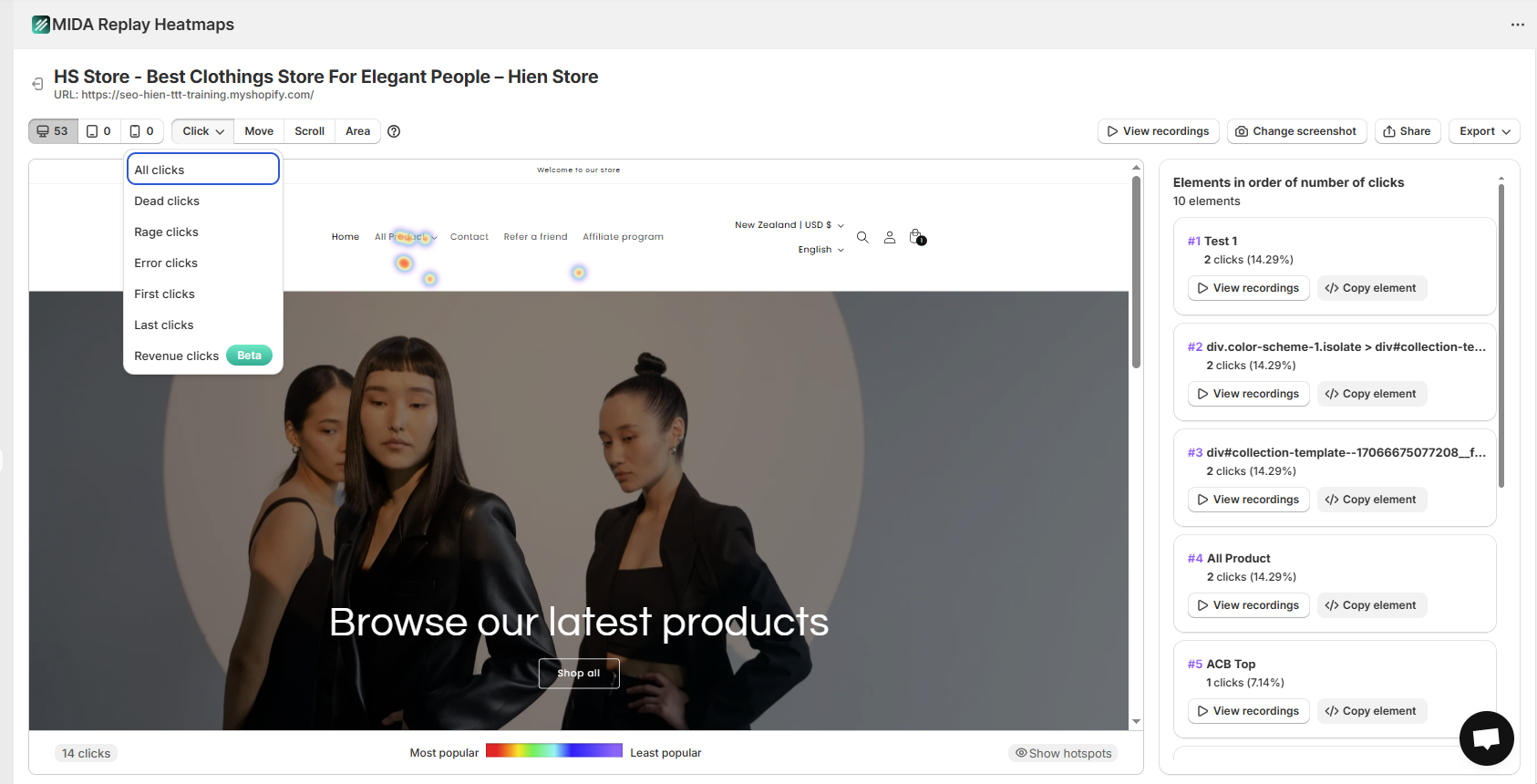
>> Check out: Mida vs Lucky Orange: Which Tool Delivers Better Results?
User Reviews and Real World Feedback
What do actual users say about each platform? The patterns are consistent across review sites.
Microsoft Clarity user reviews
Users consistently praise Clarity for being genuinely free with no hidden limitations. The interface is simple and fast to learn. Common complaints center on limited features—no funnels, no live chat, no surveys—and basic filtering options that make it hard to find specific sessions.
Lucky Orange user reviews
Lucky Orange earns praise for its feature depth and responsive customer support. Users appreciate having everything in one platform. The main complaints involve cost at scale—as traffic grows, so do monthly bills—and a steeper learning curve due to the extensive feature set.
How to Choose the Right Behavior Analytics Tool
Your specific situation determines which tool makes sense.
Choose Microsoft Clarity if
- You have no analytics budget: Clarity delivers solid value at zero cost
- You want simplicity: Basic heatmaps and recordings without complexity
- You use Google Analytics heavily: Native GA4 integration works well
- Your website is relatively simple: No complex ecommerce checkout flows
Choose Lucky Orange if
- You want live chat alongside analytics: Talk to visitors showing confusion
- You want built-in funnels: Track multi-step conversion processes
- You want to track visitors across sessions: Advanced visitor profiles help
- You have budget for analytics tools: The features justify the cost for many stores
Consider a Shopify native alternative if
You run a Shopify store and want checkout-specific insights, behavior data connected directly to orders and revenue, or the ability to filter recordings by cart value and purchase status. Neither Clarity nor Lucky Orange was built for Shopify specifically, which means you’re working around limitations rather than leveraging native capabilities.
Best Behavior Analytics Alternatives for Shopify
If neither tool fits your situation, several alternatives serve Shopify merchants better.
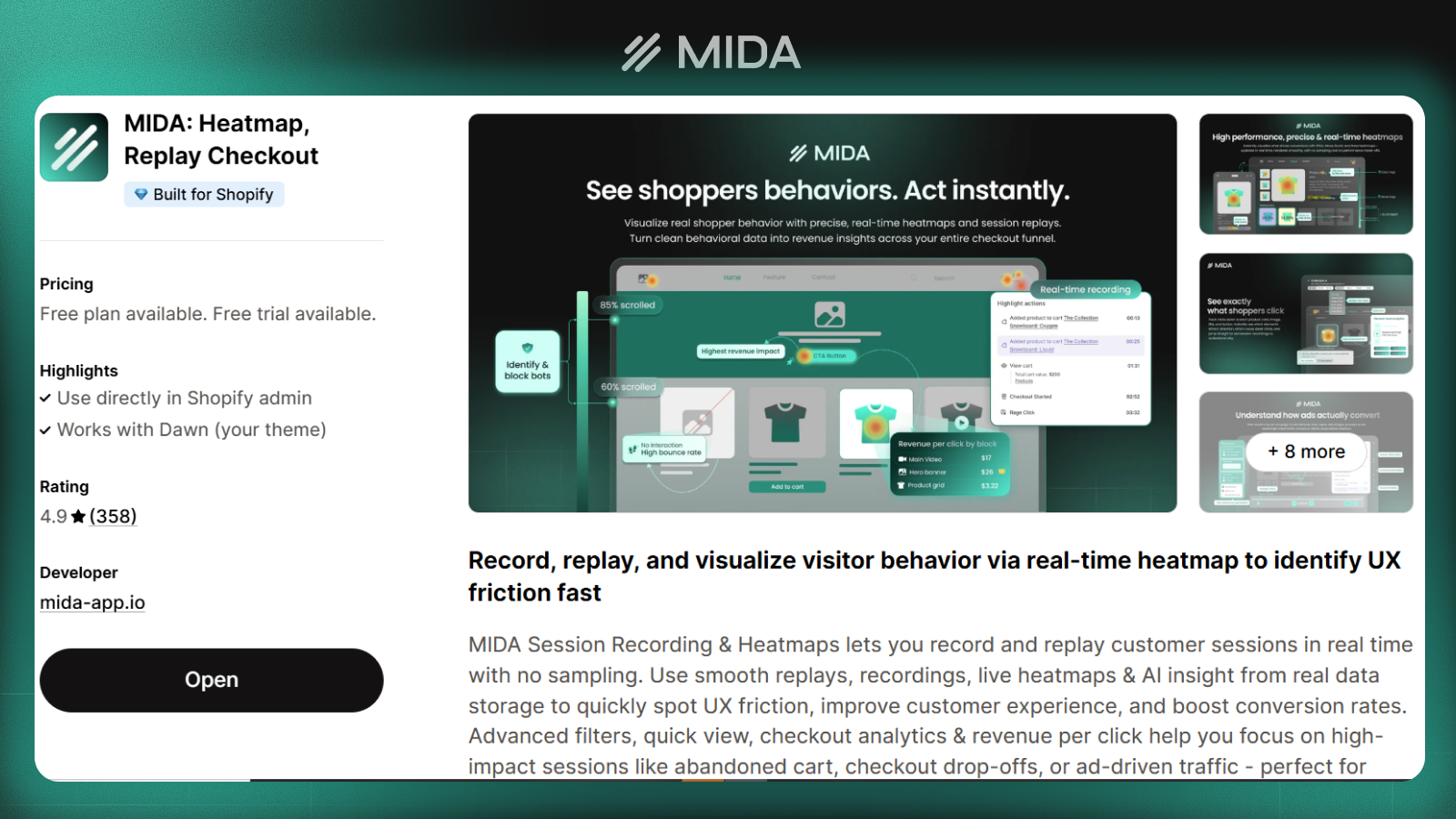
MIDA
MIDA is built specifically for Shopify, combining heatmaps, session recordings, and on-site surveys with native checkout tracking and revenue attribution. You can filter recordings by cart value, abandoned checkout status, and purchase behavior without any manual setup.
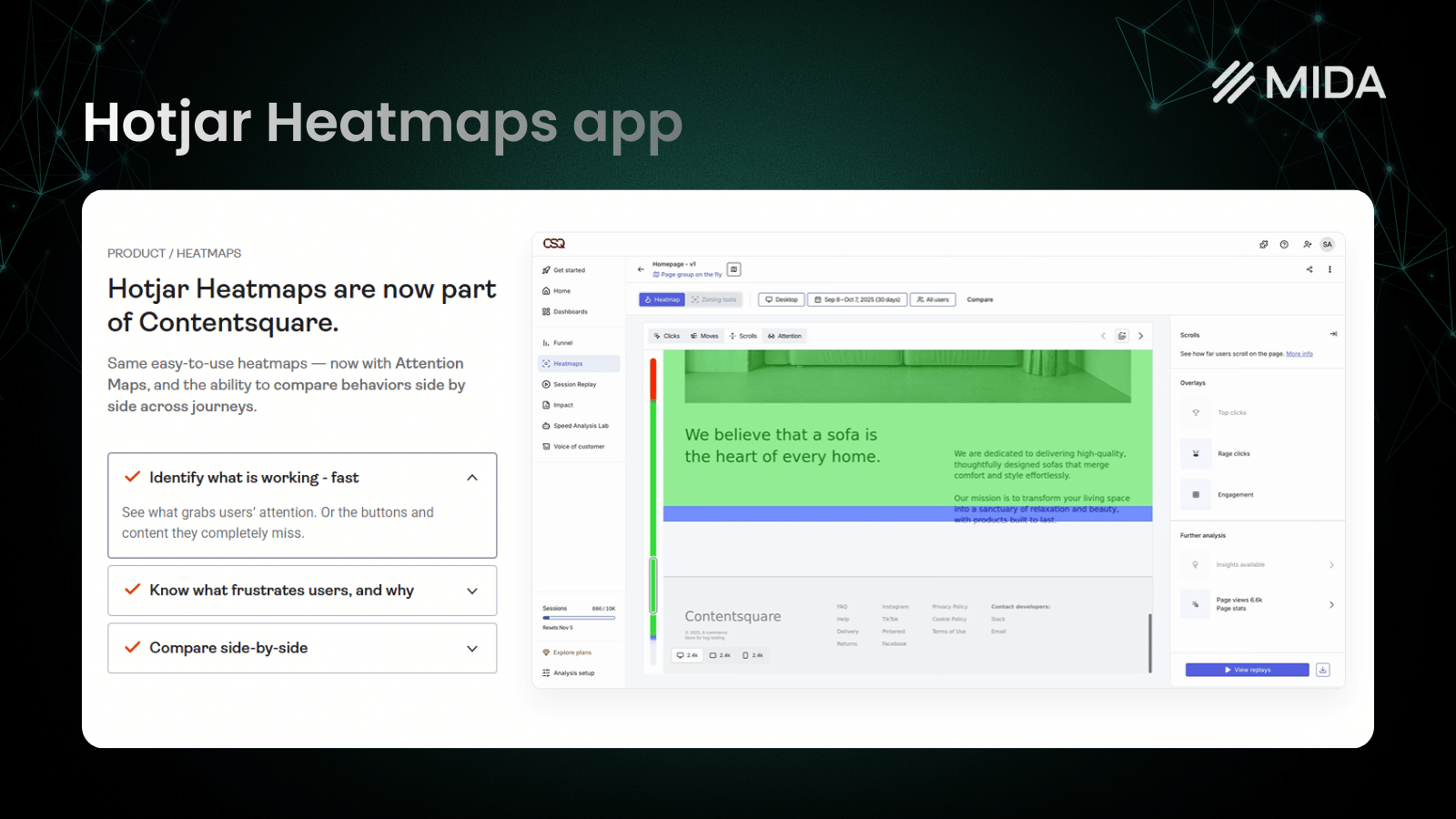
Hotjar
Hotjar is a popular mid-market option with heatmaps, recordings, and surveys. It’s a general-purpose tool rather than ecommerce-specific, but the brand recognition and extensive documentation make it accessible for teams new to behavior analytics.
Smartlook
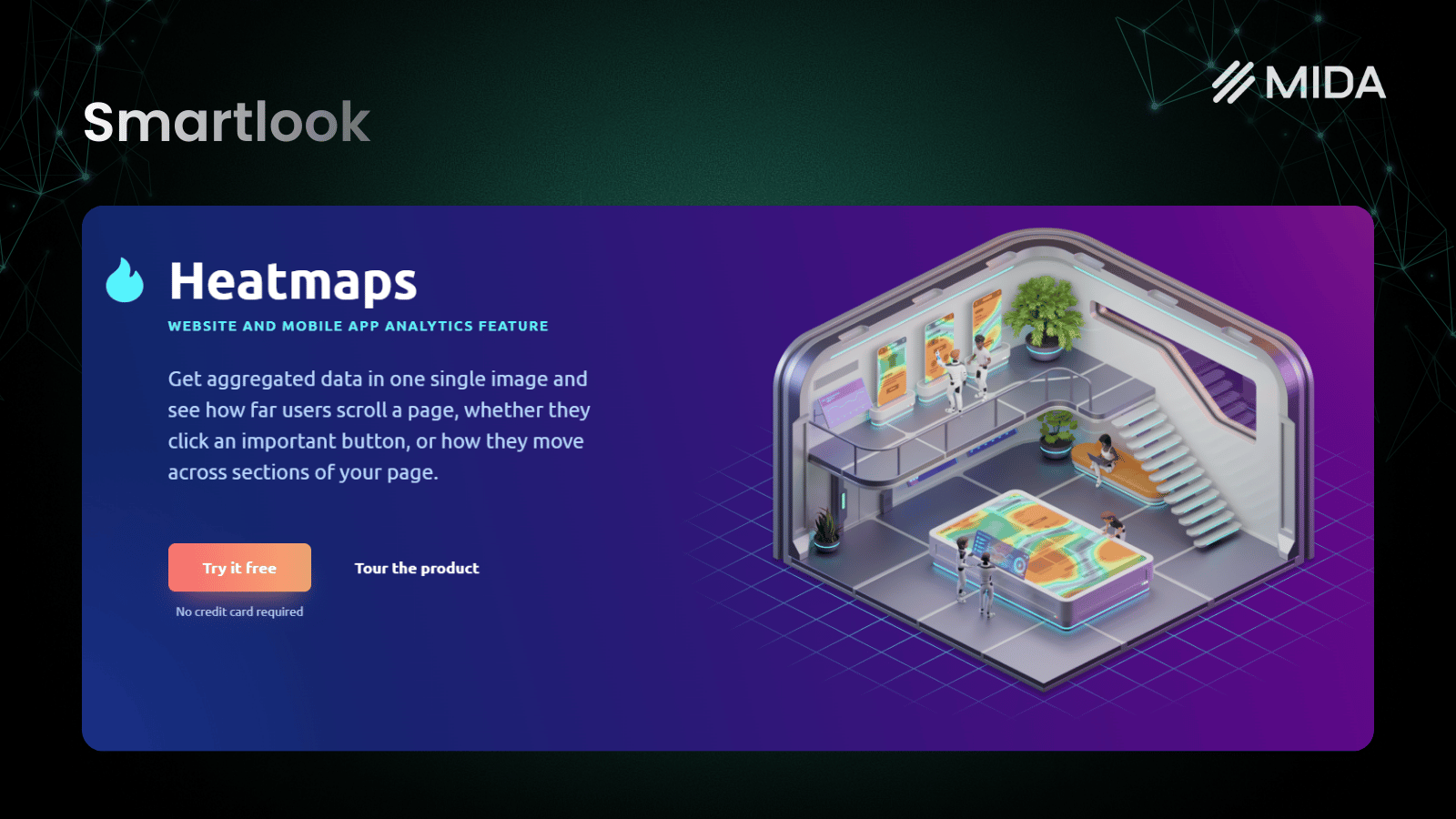
Smartlook excels at mobile app tracking alongside web analytics, making it valuable for brands with both Shopify stores and companion mobile apps.
Crazy Egg
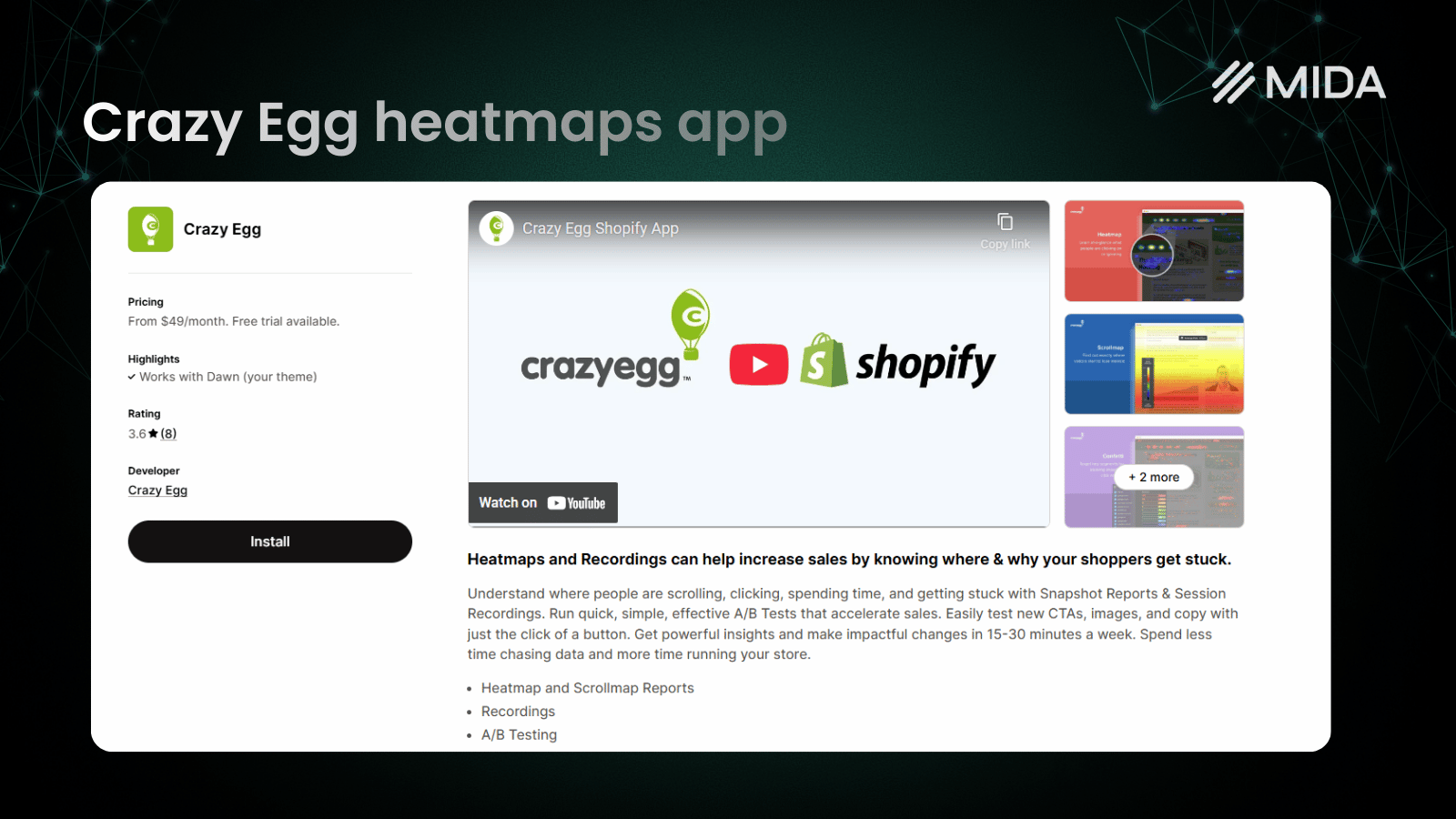
Crazy Egg pioneered commercial heatmap tools and includes A/B testing capabilities. The interface prioritizes simplicity over feature depth.
Which Tool Delivers Better Insights for Your Store
The “better” tool depends entirely on your situation. Clarity wins on cost—it’s hard to beat free. Lucky Orange wins on features—the conversion funnels and live chat add genuine value for stores focused on optimization.
However, if you’re running a Shopify store, both tools share a fundamental limitation: they weren’t built for ecommerce. You’ll spend time configuring workarounds for checkout tracking, manually connecting sessions to revenue, and missing insights that Shopify-native tools surface automatically.
The most valuable approach combines heatmaps with session replays and qualitative feedback in a platform that understands your commerce data. Seeing where customers click matters less if you can’t connect that behavior to actual purchases and revenue.
FAQs About Microsoft Clarity vs Lucky Orange
Can I use Microsoft Clarity and Lucky Orange together on the same website?
Yes, you can run both tools simultaneously since they operate independently. However, running both adds extra scripts to your pages and creates duplicate data to review, so most stores choose one primary tool rather than running both long-term.
Does Microsoft Clarity slow down website loading speed?
Clarity uses asynchronous loading, meaning the tracking script loads after your page content renders and doesn’t block the initial page display. Most sites see minimal impact on total page load time.
Why does Microsoft offer Clarity completely free with no paid tiers?
Microsoft uses aggregated, anonymized data from Clarity to improve its own products and machine learning models. This data value funds the free service—you’re essentially trading anonymized behavior data for free analytics.
How long does Lucky Orange store session recordings before deletion?
Recording retention varies by pricing tier, from 30 days to 60 days, with higher plans offering longer storage periods. Check your specific plan details for exact retention windows, as the timeframes can change with pricing updates.
Which tool tracks Shopify checkout abandonment more effectively?
Neither tool natively tracks Shopify’s hosted checkout without workarounds. Both require manual configuration to capture checkout events, which is why Shopify-specific tools like MIDA exist for checkout behavior analysis.
Can Microsoft Clarity or Lucky Orange show which sessions resulted in purchases?
Both require manual configuration to connect recordings with purchase events. Neither automatically links session replays to completed orders out of the box—you’ll set up custom event tracking or use third-party integrations to make this connection.


