Hotjar vs Mouseflow: Which Tool Wins in 2026?
You’re comparing Hotjar and Mouseflow because you want to see what’s actually happening on your site—not just traffic numbers, but where visitors click, scroll, and drop off. Both tools promise behavior analytics, but they take fundamentally different approaches to capturing and presenting that data.
This guide breaks down how each platform handles heatmaps, session recordings, surveys, and pricing so you can pick the tool that matches how you actually work.
>> You may also like:
- Lucky Orange vs Hotjar: We Tested Both Tools in 2026
- Mida vs Hotjar: Which Tool Delivers Better Results for Shopify Merchants?
Hotjar vs Mouseflow at a Glance
Hotjar focuses on user feedback and simplicity, while Mouseflow offers deeper analytics like form tracking, unlimited session capture without sampling, and advanced heatmap features. Your choice comes down to whether you prioritize qualitative feedback tools or in-depth quantitative data and funnel analysis.
| Feature | Hotjar | Mouseflow |
| Data Capture | Sampling-based | Session credits (no sampling) |
| Heatmap Types | Click, scroll, move | Click, scroll, move, Click Area, Zonalmap |
| Form Analytics | Not available | Full form analytics included |
| Surveys & Feedback | Extensive (emoji widgets, surveys) | Basic survey functionality |
| User Journey Mapping | Not available | Available on higher plans |
| Ease of Use | Often rated easier to learn | More detailed but steeper curve |
Key Differences Between Hotjar and Mouseflow
Data Capture Methods
Sampling means recording only a portion of your total sessions rather than every visitor interaction. Hotjar uses sampling on most plans, so if you have 10,000 visitors, you might only see recordings from a fraction of them.
Mouseflow takes a different approach with session credits. You get a set number of recordings per month, but every session within that limit captures complete data without random selection. When you’re trying to diagnose a specific checkout issue, sampling might mean you miss the exact session where the problem occurred.
Data Retention Periods
Hotjar typically offers longer data retention on most plans, keeping your heatmaps and recordings accessible for extended periods. Mouseflow’s retention varies by pricing tier, with lower plans storing data for shorter windows.
If you’re running seasonal campaigns or want to compare behavior across quarters, check how long each tool keeps your historical data.
Form Analytics Availability
Form analytics tracks how visitors interact with input fields—which fields cause hesitation, where people abandon mid-form, and how long each field takes to complete. Mouseflow includes dedicated form analytics with conversion reports and field drop-off tracking.
Hotjar doesn’t offer this feature. If your store relies on multi-step forms, quote requests, or complex checkout fields, this gap becomes significant.
Integrations and Platform Support
Both tools integrate with common platforms like Google Analytics, Slack, and Zapier. However, neither was built specifically for ecommerce or Shopify stores—they’re general-purpose behavior analytics tools designed for any website.
You won’t find native filters for cart value, checkout stage, or order outcomes. Connecting behavior directly to revenue requires manual correlation or additional tools.
Hotjar vs Mouseflow Pricing
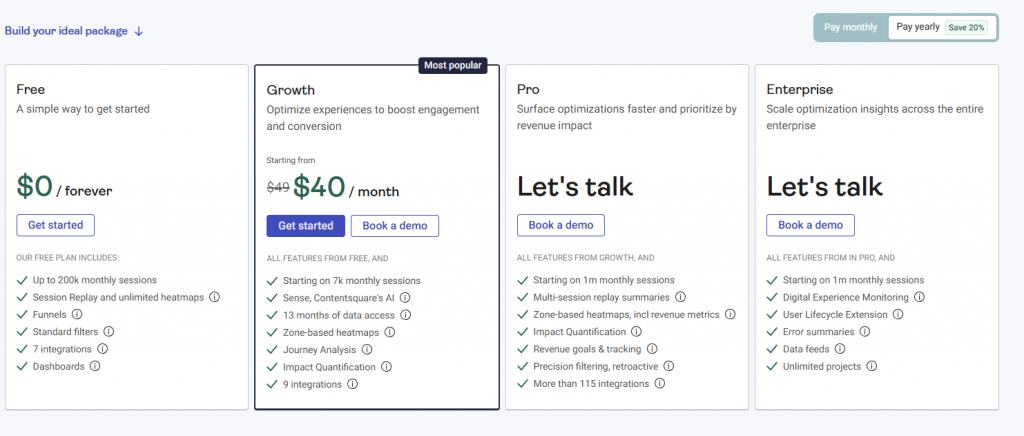
Hotjar Pricing Plans
Hotjar offers a free plan with limited daily sessions, making it accessible for testing. Paid tiers increase your session limits and unlock features like Trends (for tracking metrics over time) and Funnels (for visualizing drop-offs across pages).
Feedback and survey tools come included at every level, so even free users can collect qualitative insights.
Mouseflow Pricing Plans
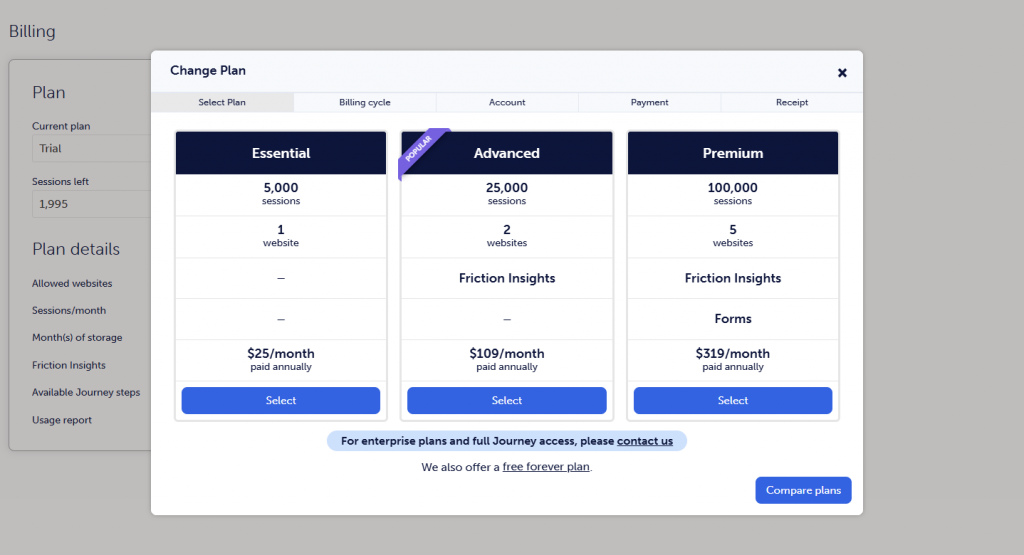
Mouseflow also provides a free tier with a set number of session credits per month. As you move up pricing tiers, you gain more credits plus access to advanced features like form analytics and user journey mapping.
The credit-based model means you know exactly how many sessions you’ll capture—no surprises from sampling algorithms.
Which Tool Offers Better Value
Value depends on what you’re trying to accomplish:
- Choose Hotjar if: You want robust survey and feedback tools, prefer a simpler interface, and don’t require form-level analytics
- Choose Mouseflow if: You want complete session capture without sampling gaps, dedicated form analytics, or user journey mapping
How Heatmaps Compare in Mouseflow vs Hotjar
Types of Heatmaps Available
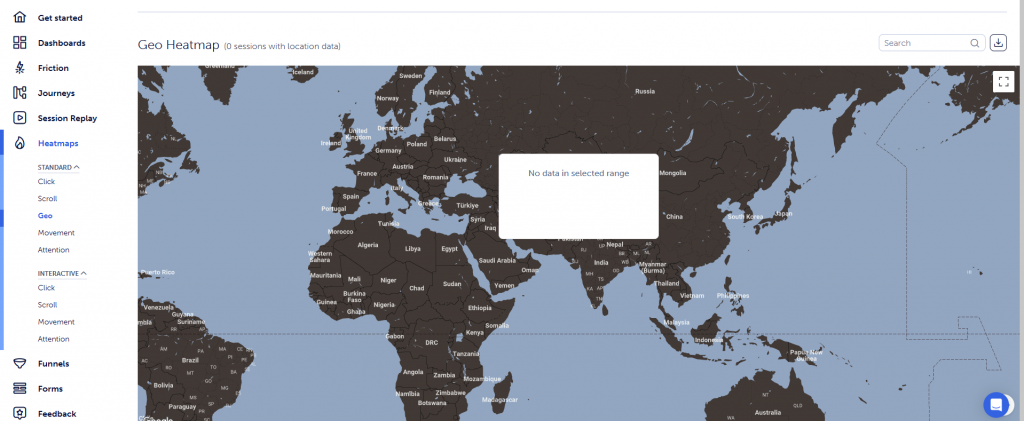
Both platforms offer click heatmaps showing where visitors tap or click, scroll heatmaps revealing how far down pages people travel, and movement heatmaps tracking cursor paths.
Mouseflow adds two features Hotjar lacks. Click Area lets you define specific page zones and see aggregated click data within those boundaries. Zonalmap provides element-level engagement metrics, showing exactly which buttons, images, or sections attract interaction.
Heatmap Filters and Segmentation
Filtering lets you slice heatmap data by device type, traffic source, or visitor status. Both tools offer these basics.
Mouseflow provides more granular segmentation options, letting you create custom segments based on specific behaviors. If you want to compare how mobile visitors from paid ads interact differently than organic desktop traffic, Mouseflow’s filtering gives you more flexibility.
Heatmap Accuracy and Data Quality
Hotjar’s sampled data means your heatmaps represent a subset of actual visitors. With enough traffic, sampling usually produces reliable patterns—but on lower-traffic pages, you might see incomplete pictures.
Mouseflow’s full capture within your credit limit means every tracked session contributes to your heatmaps. For stores with moderate traffic trying to optimize specific pages, this completeness often reveals patterns that sampled data would miss.
How Session Recordings Compare
Recording Limits and Sampling
Session recordings let you watch individual visitor journeys as video-like playbacks. Hotjar’s sampling approach means you might want to review a specific frustrated customer’s session but find it wasn’t captured.
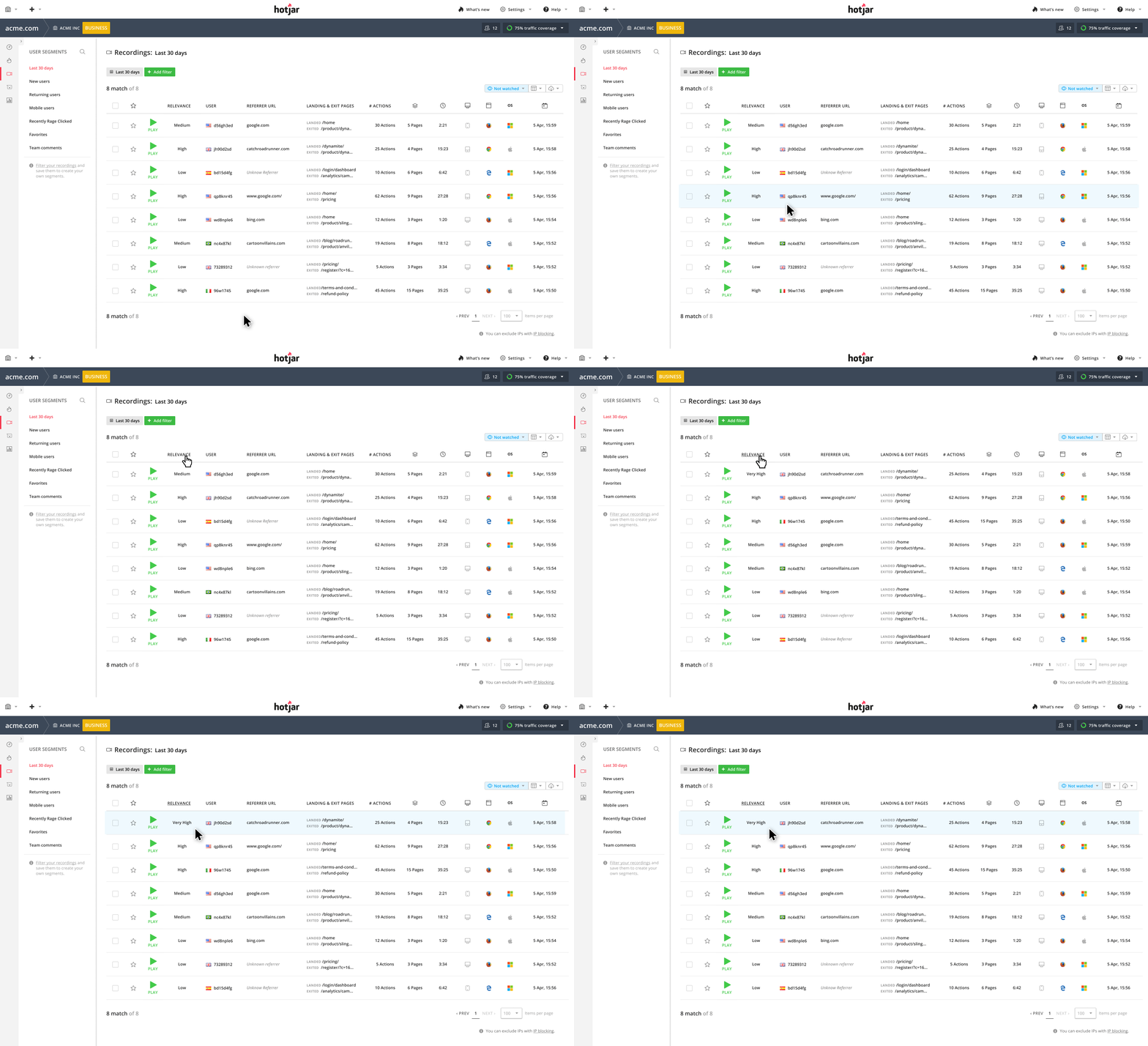
Mouseflow’s credit system ensures every session within your limit gets recorded completely.
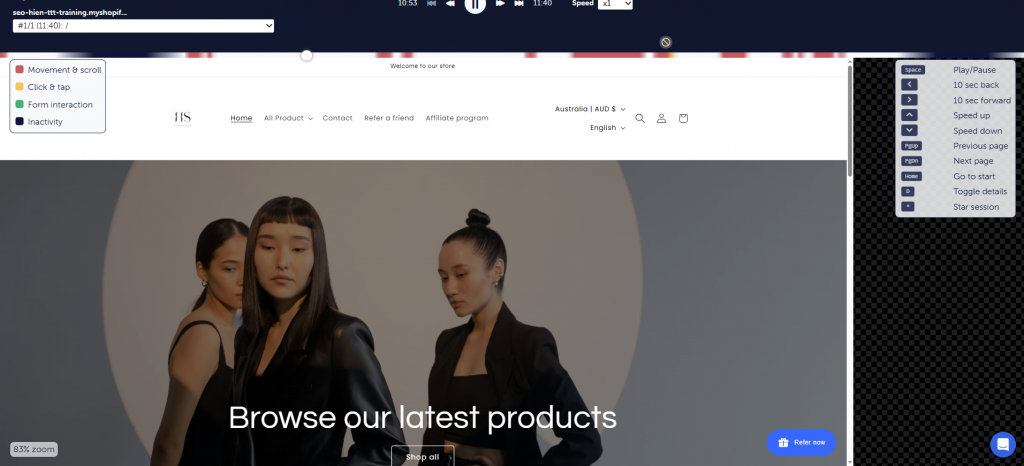
Playback Features and Controls
Both platforms include standard playback controls: speed adjustment, skip inactivity, and console error tracking. Hotjar offers an engagement score that surfaces potentially interesting sessions—those with rage clicks, u-turns, or extended time on page.
Mouseflow uses tagging and custom events to help you find relevant recordings.
Session Filters and Segmentation
Finding the right recording among hundreds requires good filtering. Both tools let you search by page visited, session duration, errors encountered, and friction signals like rage clicks.
However, neither offers ecommerce-specific filters. You can’t easily pull up “sessions where cart value exceeded $200” or “visitors who abandoned at shipping selection.”
How Surveys and Feedback Tools Compare
Survey Builder Features
Hotjar treats feedback as a core feature. The survey builder includes multiple question types, emoji-based scales for quick sentiment capture, and logic branching that shows different questions based on previous answers.
Mouseflow offers survey functionality with fewer customization options.
Feedback Widget Options
Feedback widgets sit persistently on your pages, inviting visitors to share thoughts without interrupting their journey. Hotjar’s emoji-based widget has become recognizable—visitors click a face representing their experience, optionally add comments, and submit in seconds.
Mouseflow provides feedback collection with fewer visual options for the widget itself.
Survey Targeting and Triggers
Both platforms let you control when surveys appear: on specific pages, after time delays, or when visitors show exit intent. Hotjar’s targeting configuration is often cited as more intuitive, with visual builders that don’t require technical knowledge.
How Funnel and Form Analytics Compare
Conversion Funnel Features
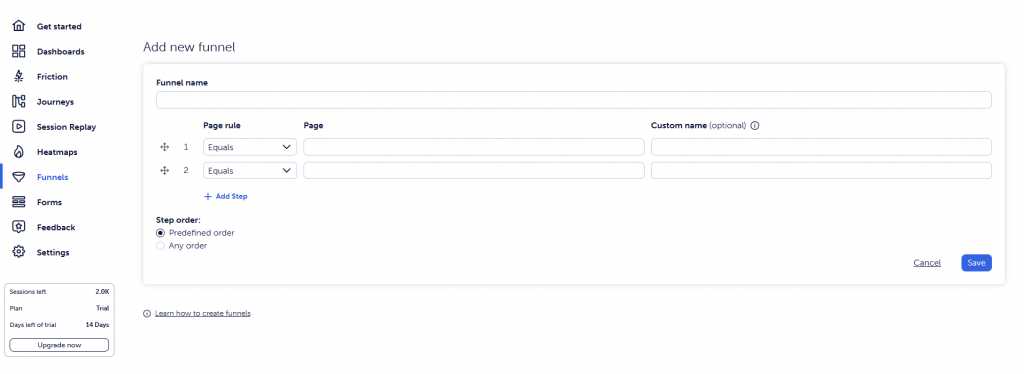
Funnel visualization shows where visitors drop off across multi-step processes. You define the steps (product page → cart → checkout → confirmation), and the tool shows what percentage completes each transition.
Hotjar offers Funnels on higher-tier plans. Mouseflow includes conversion funnels with form-level detail, showing not just that people dropped off at checkout, but which specific field caused the abandonment.
Form Analytics Capabilities
Mouseflow’s form analytics reveals granular field-level data:
- Field abandonment: Which fields users skip or abandon mid-form
- Time per field: How long visitors spend on each input
- Conversion rates: Success rates per form across your site
Hotjar doesn’t offer dedicated form analytics. Neither tool natively tracks Shopify checkout forms, since checkout lives on a separate Shopify-hosted domain.
Hotjar vs Mouseflow Feature Comparison Table
| Feature | Hotjar | Mouseflow |
| Session Recordings | Yes (sampled) | Yes (credit-based) |
| Click Heatmaps | Yes | Yes |
| Scroll Heatmaps | Yes | Yes |
| Movement Heatmaps | Yes | Yes |
| Click Area Analysis | No | Yes |
| Form Analytics | No | Yes |
| Surveys | Extensive | Basic |
| Conversion Funnels | Higher plans only | Yes |
| User Journey Mapping | No | Higher plans only |
Who Should Use Hotjar
Hotjar fits teams that prioritize understanding the “why” behind visitor behavior through direct feedback:
- Teams prioritizing user feedback: Surveys and emoji widgets help you understand motivations that pure behavior data can’t reveal
- Users wanting simplicity: Hotjar consistently rates higher for ease of learning
- Marketers focused on qualitative insights: Strong feedback tools complement basic behavior tracking
Who Should Use Mouseflow
Mouseflow suits teams focused on detailed conversion analysis and complete data capture:
- Teams focused on conversion optimization: Form analytics and detailed funnels reveal specific friction points
- Users wanting complete data capture: Session credits avoid sampling gaps
- Analysts wanting advanced heatmap features: Click Area and Zonalmap offer segmentation beyond standard heatmaps
What to Look for in a Behavior Analytics Tool
Ecommerce and Checkout Tracking
General tools like Hotjar and Mouseflow were built for all websites, not specifically for online stores. They track page visits and clicks effectively, but they don’t natively understand ecommerce concepts like cart value, checkout stages, or order outcomes.
If you run a Shopify store, this gap means extra work correlating behavior data with your actual sales.
Segmentation by Buyer Behavior
The most actionable insights often come from filtering sessions by purchase intent. Watching how someone who completed a $300 order navigated your store reveals different patterns than someone who bounced after viewing one product.
General tools offer page-based and device-based filters. Ecommerce-native tools add commerce-based filters: abandoned carts, completed orders, first-time versus returning buyers.
Ease of Setup and Daily Use
The best analytics tool is one you’ll actually use consistently. Consider setup time, learning curve, and whether the tool fits your existing workflow.
A Shopify Native Alternative to Both Tools
While Hotjar and Mouseflow are solid options for general websites, Shopify stores need analytics tools built natively for ecommerce and especially for checkout optimization.
Platform-native tools understand Shopify checkout events, funnel steps, cart abandonment, and customer segments out of the box, without complex setup or workarounds.
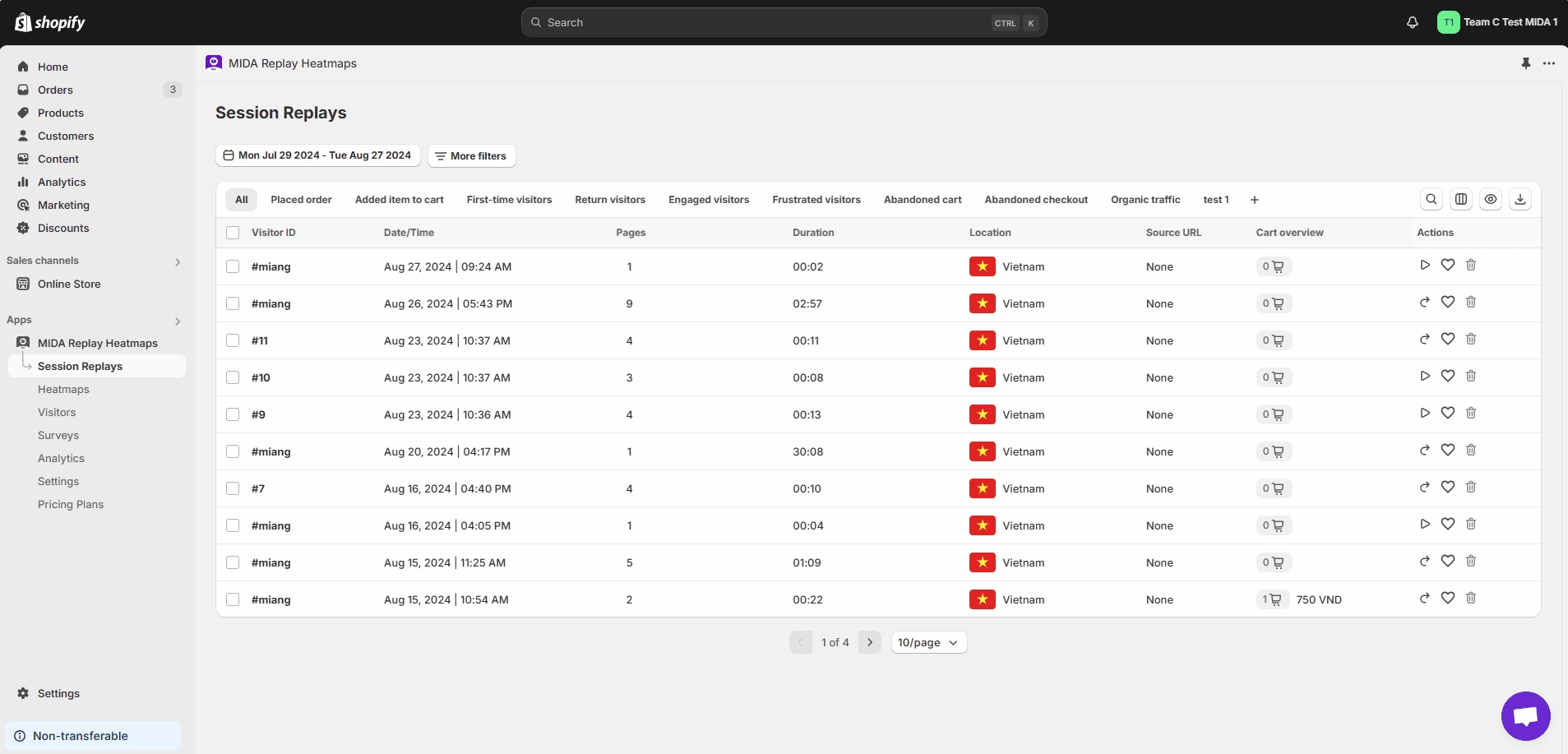
MIDA is built specifically for Shopify, combining session recordings, heatmaps, and checkout analytics in one unified platform.
Merchants can replay checkout recordings, analyze checkout funnel drop-offs, filter sessions by cart value or revenue, and instantly see which behaviors lead to completed orders or lost sales.
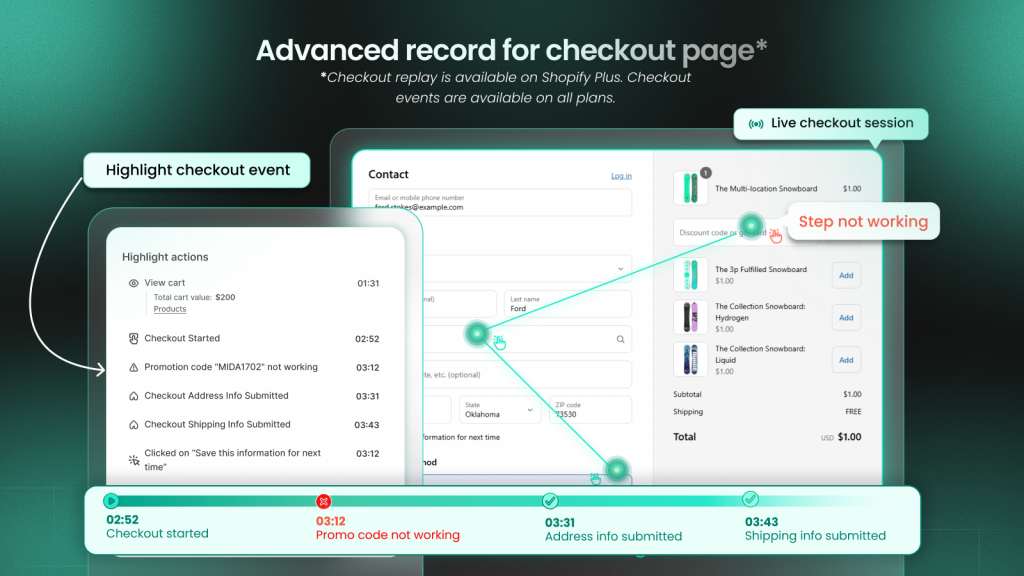
Instead of guessing, MIDA connects visual behavior data directly to checkout performance and revenue impact, making optimization decisions faster and more confident.
FAQs About Hotjar vs Mouseflow
Can Hotjar or Mouseflow record Shopify checkout sessions?
Neither Hotjar nor Mouseflow natively records Shopify checkout pages. Checkout lives on a separate Shopify-hosted domain that requires platform-specific integration to track.
Which behavior analytics tool is better for ecommerce stores?
Neither tool was built specifically for ecommerce, so online stores often find gaps when trying to connect session data to orders, carts, and revenue. Purpose-built ecommerce alternatives offer filters and metrics designed around purchase journeys.
Does Mouseflow offer a free plan?
Yes, Mouseflow offers a free plan with limited session credits. You can test core features like heatmaps and recordings before upgrading.
What happened to Hotjar after the Contentsquare acquisition?
Hotjar was acquired by Contentsquare and continues operating as a standalone product. The core Hotjar experience remains largely unchanged for most users.
Can you jump from a heatmap click directly to a session replay?
Hotjar offers this connection on certain plans—you can click a heatmap hotspot and watch recordings of users who clicked that element. Mouseflow provides similar functionality through its integrated dashboard.


