Start with MIDA: What to Check First
Welcome to MIDA! Your store is now equipped with powerful tools to understand every click, scroll, and hesitation of your visitors. However, you don’t need to explore every single feature today. To get the most out of MIDA in your first 10 minutes, focus only on what impacts your revenue.
Here are the three critical areas to check immediately to boost your conversion rate:
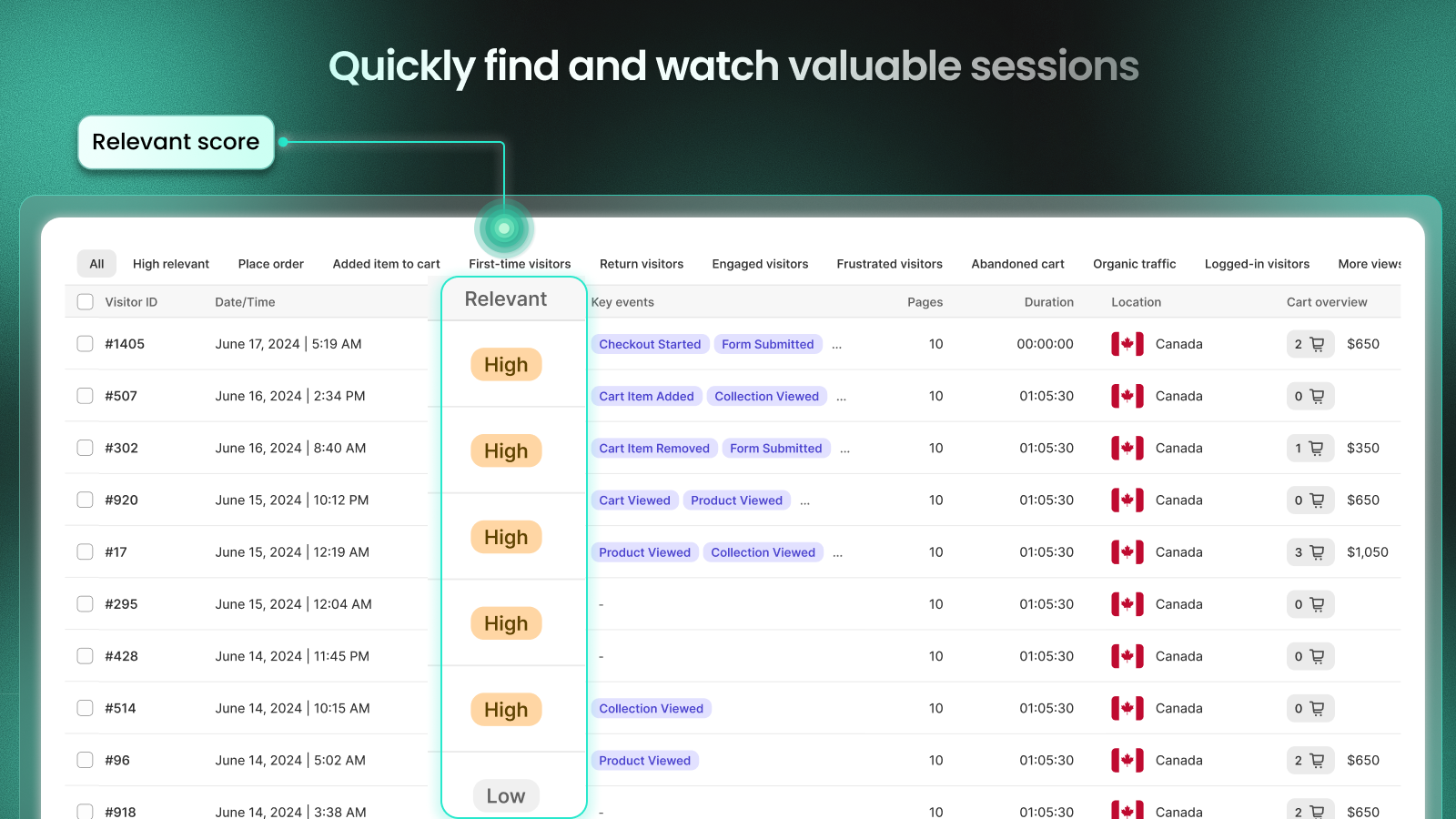
1. High-Intent Session Recordings
Instead of watching random sessions, prioritize those most likely to result in a sale. MIDA calculates a Relevance Score for every recording based on active duration, pageviews, and specific actions like “Added to Cart” or “Checkout Started.”
Why it matters: Watching these sessions allows you to pinpoint exactly what captures a buyer’s attention or where a high-intent customer gets stuck, helping you answer the question: “Why did they almost buy but leave?”
2. Product Page Heatmap (Top Traffic)
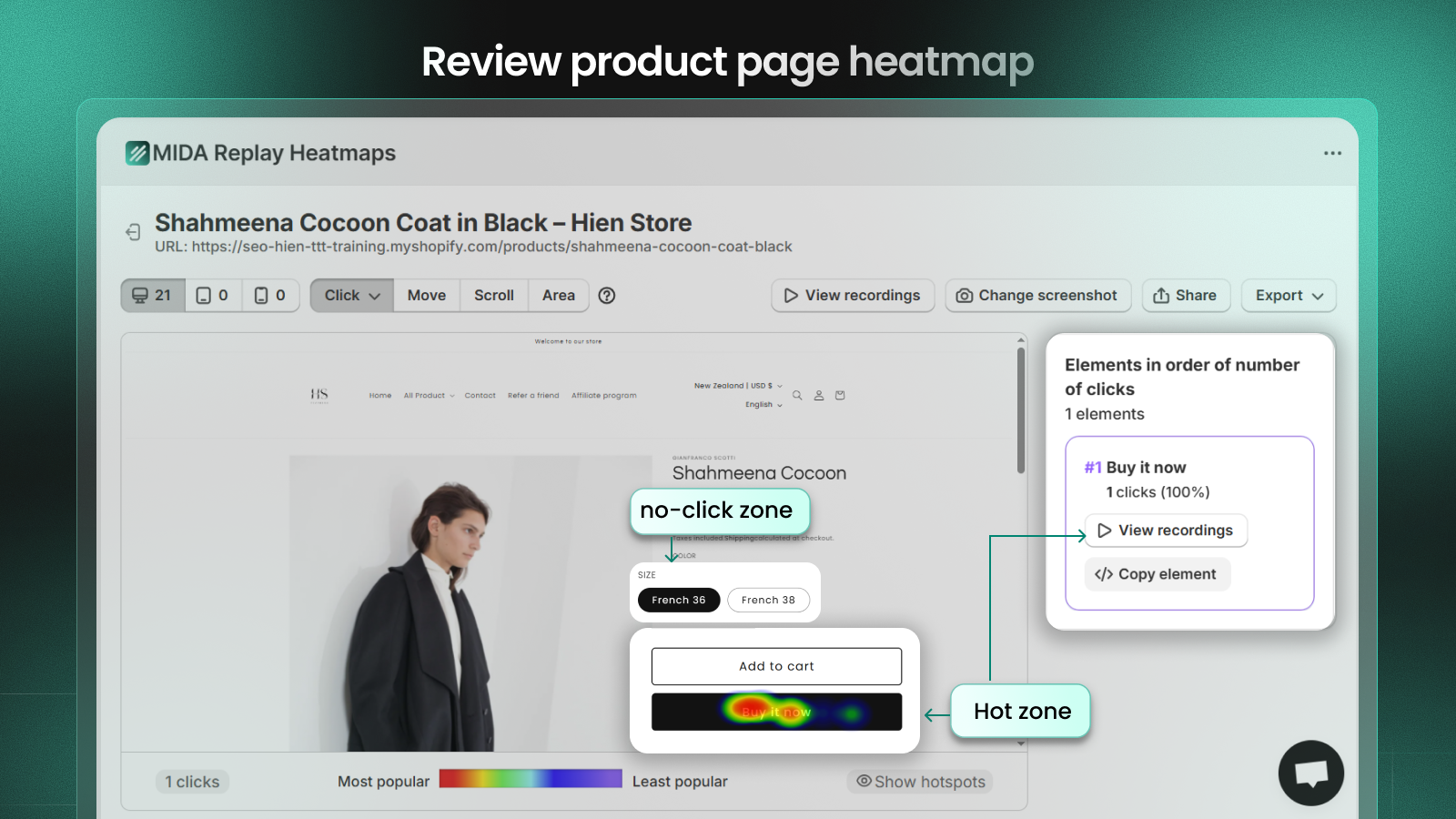
Navigate to your Heatmaps and select your most popular product page. Look at the Click Map, Mouse movement (move map) and Scroll Map.
Why it matters: This reveals which images, buttons, or descriptions are actually being ignored and which are high-interest. For example, if your “Add to Cart” button isn’t in a “hot” zone or if users aren’t scrolling deep enough to see your social proof, you are losing money on your best products.
3. Checkout Behavior & Funnel Analysis
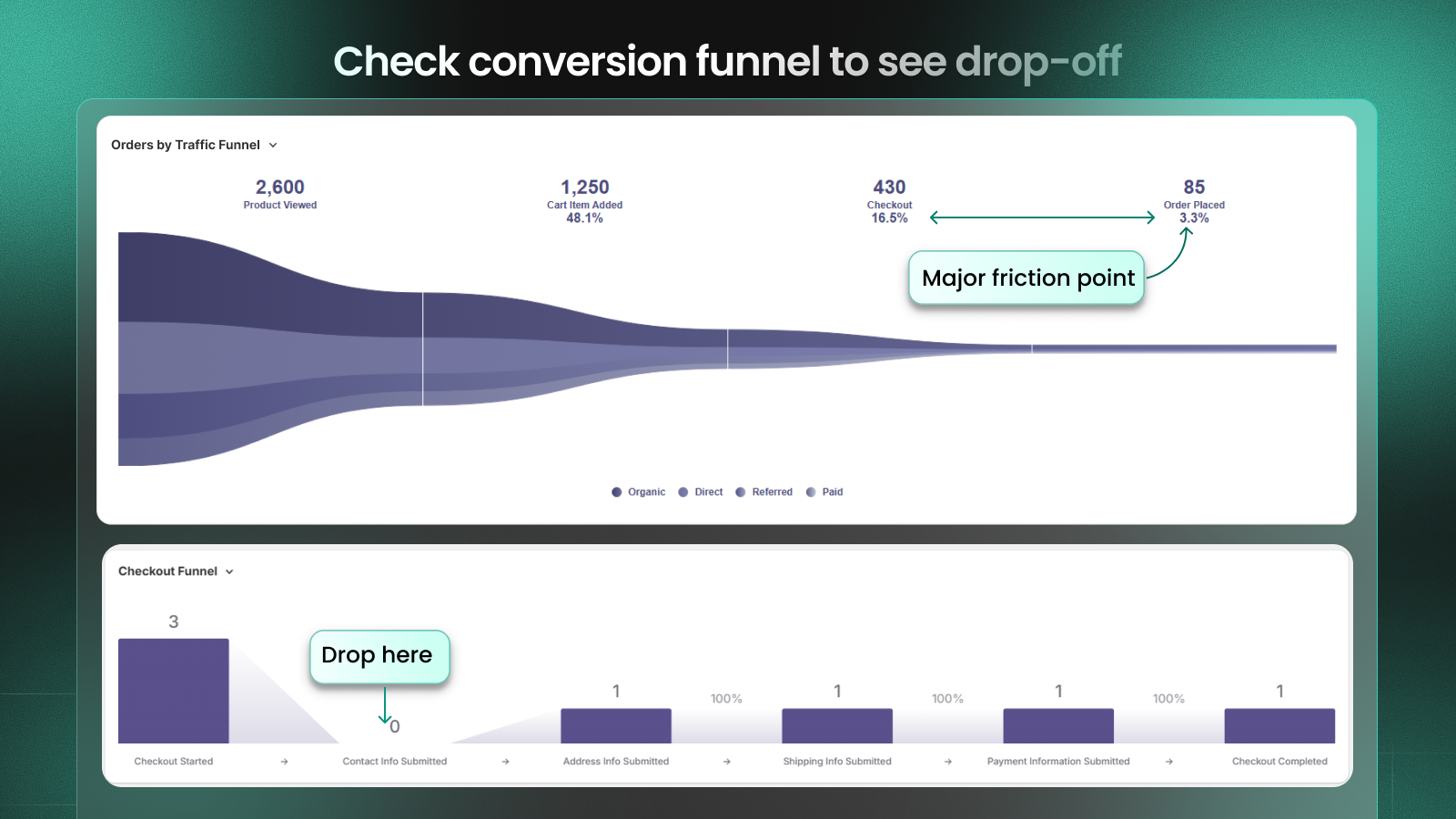
Check your Order Funnel in the Analytics tab to see the drop-off rates between “Cart Added,” “Checkout Started,” and “Order Placed.” On the other hand, the checkout funnel shows how visitors move through each step of your checkout process and where they drop off.
Why it matters: The checkout process is the most critical step for revenue. Identifying “Abandoned Checkout” sessions helps you detect technical errors, trust gaps (like missing badges), or unclear shipping costs that block the final sale.
>> Check how to monitor the funnel to find the drop-off points with MIDA
🚀 Your Day One Checklist
- Enable App Embed: Ensure MIDA is activated in your Shopify theme settings so data can be collected.
- Identify VIP Sessions: Filter recordings by “Cart Value > 0” to see your highest-value potential customers.
- Audit Your Top CTA: Use a Click Map on your homepage to ensure visitors are actually clicking your primary “Shop Now” button.
Ready to see your store through your customers’ eyes?


