7 Best Mouseflow Alternatives for 2026: Features and Pricing Compared
Mouseflow does what it promises—session recordings, heatmaps, basic analytics—but many merchants hit a wall when traffic grows faster than their budget or when they realize the tool can’t see what happens during Shopify checkout. That gap between “good enough” and “actually useful for e-commerce” sends store owners searching for alternatives that better fit how they actually run their business.
This guide compares seven Mouseflow alternatives based on features, pricing, and how well each tool serves merchants trying to reduce friction and improve conversions. You’ll find options ranging from completely free to enterprise-grade, with specific attention to which tools work best for Shopify stores.
>> You may also like:
- Best Shopify Heatmap Apps: 12 Tools Tested for Performance in 2026
- Best 7 Session Replay Tools: Complete Comparison for 2026
Why merchants look for Mouseflow alternatives
The most popular Mouseflow alternatives for session replays and heatmaps include MIDA, Hotjar, Microsoft Clarity, Lucky Orange, FullStory, Crazy Egg, and Smartlook. Each tool offers different strengths—Clarity provides unlimited free recordings, Hotjar combines behavior analytics with feedback surveys, and FullStory delivers enterprise-grade journey analysis. For Shopify merchants specifically, MIDA combines behavior analytics with native e-commerce event tracking, giving store owners visibility into checkout friction that general-purpose tools often miss.
Pricing that scales faster than revenue
Mouseflow uses session-based pricing, which can catch merchants off guard when traffic spikes. You might start on an affordable tier, then discover your costs doubled after a successful product launch or seasonal rush.
Many merchants find themselves either paying for sessions they don’t use or running out of recordings mid-month during their busiest periods. The mismatch between traffic patterns and rigid session limits creates frustration that sends store owners searching for alternatives with more flexible pricing models.
Limited e-commerce and checkout tracking
General behavior analytics tools weren’t built with Shopify’s architecture in mind. The checkout process lives on a separate Shopify-hosted domain, which means many session recording tools lose visibility at the exact moment customers decide whether to complete their purchase.
This blind spot matters for e-commerce. If you can’t see what happens between “Add to Cart” and “Order Confirmed,” you’re guessing about cart abandonment causes rather than watching them unfold.
Raw data without clear next steps
Watching session recordings can feel like searching for a needle in a haystack. You might have thousands of recordings but no efficient way to find the sessions that actually reveal problems.
Without filtering by e-commerce events—like abandoned carts or failed checkout attempts—you’re left scrubbing through hours of footage hoping to spot friction. The most useful behavior analytics connect what visitors do with what matters to your business.
How we evaluated these Mouseflow alternatives
Our evaluation focused on what actually matters for e-commerce stores trying to improve conversions. We tested each tool across real Shopify stores, paying attention to setup complexity, recording quality, and how well each platform surfaces actionable insights.
- Session recording quality and storage: Playback smoothness, retention periods, and filtering options determine whether you can actually find and watch relevant sessions
- Heatmap and click tracking depth: Visual overlays showing where visitors click, scroll, and hover help identify which page elements attract attention and which get ignored
- Survey and feedback tools: On-site surveys capture qualitative insights about why visitors behave certain ways, not just what they do
- E-commerce event tracking: The ability to filter sessions by cart abandonment, completed orders, and product views separates e-commerce-ready tools from general-purpose analytics
- Pricing transparency and value: Publicly listed pricing that scales reasonably with traffic matters for planning and budgeting
Best Mouseflow alternatives for e-commerce stores
Each tool serves different merchant priorities based on platform, budget, and analytical depth. Some excel at simplicity while others offer enterprise features for teams managing complex optimization programs.
MIDA
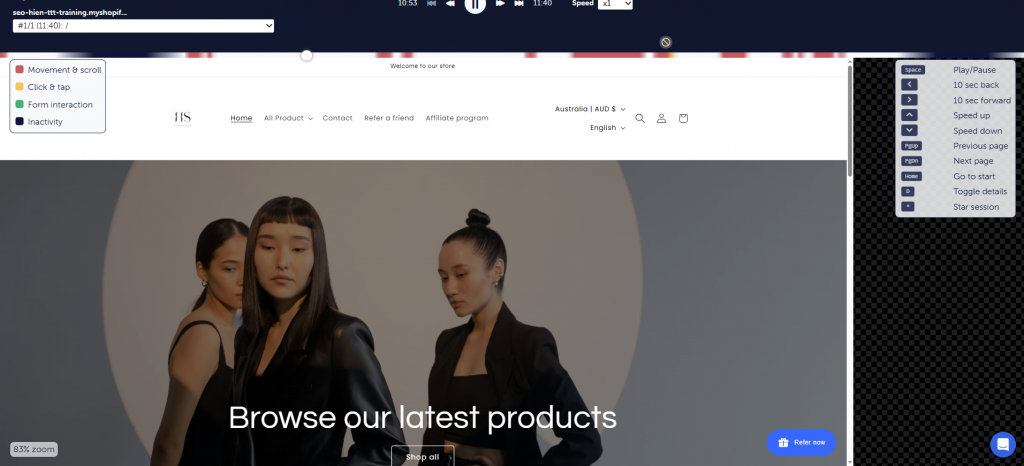
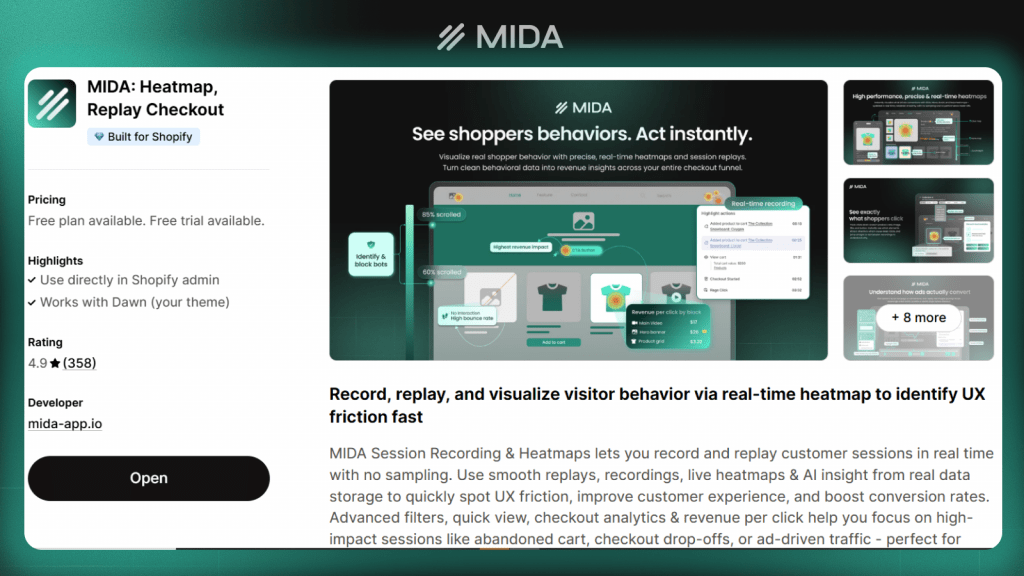
MIDA is a Shopify-optimized analytics app that combines session replay, heatmaps, surveys, and e-commerce metrics in one place. Unlike general-purpose tools, MIDA was built specifically for Shopify’s architecture, including visibility into the checkout process where many alternatives lose tracking.
The platform lets you filter sessions by e-commerce events—watching only customers who abandoned carts or viewing heatmaps on your highest-traffic product pages. This event-based approach means you spend time watching sessions that reveal problems rather than scrubbing through random visitor recordings.
MIDA works best for Shopify merchants who want unified behavior and e-commerce analytics without stitching together multiple tools. The tradeoff is platform specificity: MIDA focuses exclusively on Shopify rather than supporting WordPress or custom platforms.
Hotjar
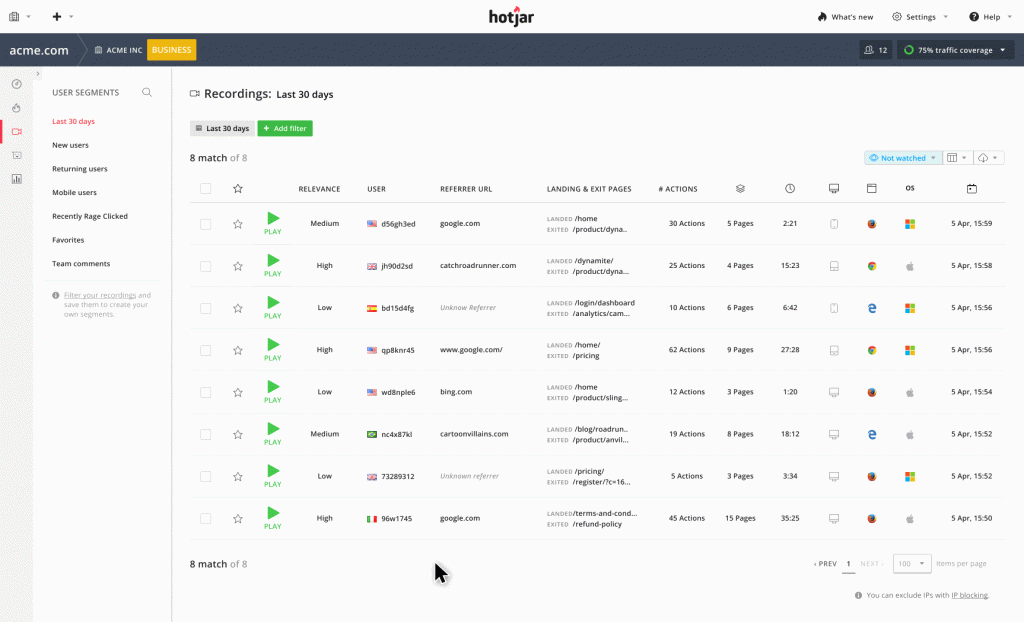
Hotjar remains one of the most recognized names in behavior analytics, offering heatmaps, session recordings, and feedback surveys in a polished interface. The platform emphasizes ease of use, making it accessible for teams without technical backgrounds.
The feedback tools stand out—you can deploy surveys, collect user opinions, and even recruit participants for user interviews directly through the platform. This combination of quantitative behavior data and qualitative feedback helps teams understand both what visitors do and why.
Session limits on lower tiers can feel restrictive for high-traffic stores. Hotjar also lacks native e-commerce event tracking, meaning you’ll work around limitations to filter sessions by purchase behavior or cart abandonment.
>> Explore: Hotjar vs Mouseflow: Which Tool Wins in 2026?
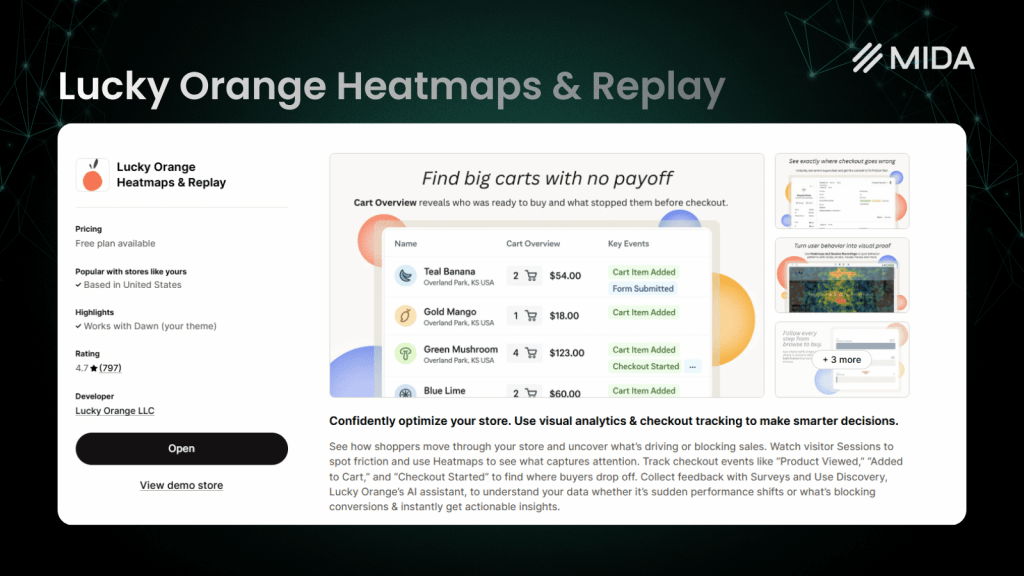
Lucky Orange
Lucky Orange combines behavior analytics with real-time engagement features like live chat and visitor announcements. The dynamic heatmaps update as you resize your browser, showing how click patterns change across different screen sizes.
The real-time dashboard lets you see who’s on your site right now and even initiate conversations with visitors who appear stuck. This immediate engagement capability differentiates Lucky Orange from pure analytics tools.
The interface can feel cluttered compared to more focused alternatives, and the reporting depth doesn’t match enterprise tools. Lucky Orange works well for merchants who want to combine analytics with active visitor engagement.
Microsoft Clarity
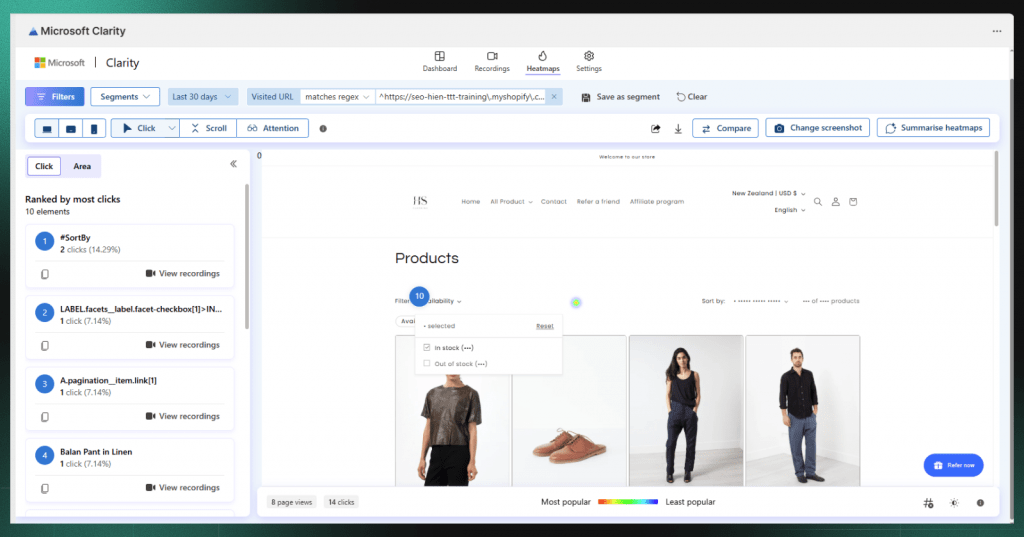
Microsoft Clarity offers unlimited session recordings and heatmaps completely free—no session caps, no premium tiers, no credit card required. The platform includes useful features like rage click detection (identifying where visitors click repeatedly in frustration) and dead click identification (spots where visitors click but nothing happens).
For budget-conscious merchants or those just starting with behavior analytics, Clarity provides genuine value without financial commitment. The Google Analytics integration helps connect behavior data with your existing traffic analysis.
The limitations are significant for e-commerce use: no surveys, no e-commerce-specific event tracking, and support limited to documentation rather than human assistance. Clarity works as a starting point but often leaves merchants wanting more as their optimization efforts mature.
Crazy Egg
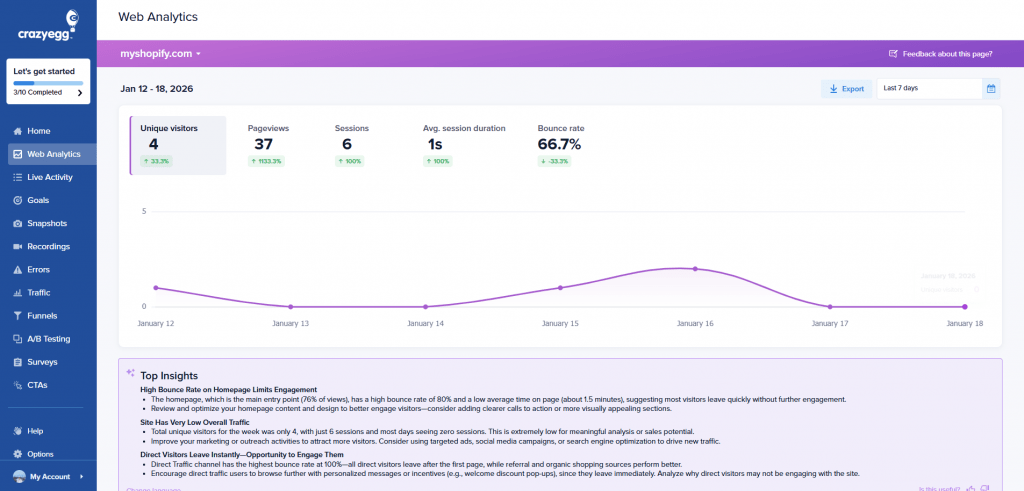
Crazy Egg pioneered visual heatmap analytics and continues to focus on this strength. The platform offers scroll maps, click maps, and confetti reports that break down clicks by referral source—showing whether visitors from Google behave differently than those from Instagram.
The built-in A/B testing capability lets you act on heatmap insights without switching tools. If you notice visitors aren’t scrolling past a certain point, you can test a new layout directly within Crazy Egg.
Session recordings exist but feel less developed than the heatmap features. Merchants primarily wanting session replay might find other tools more capable, while those focused on visual analysis and quick landing page tests will appreciate Crazy Egg’s focused approach.
FullStory
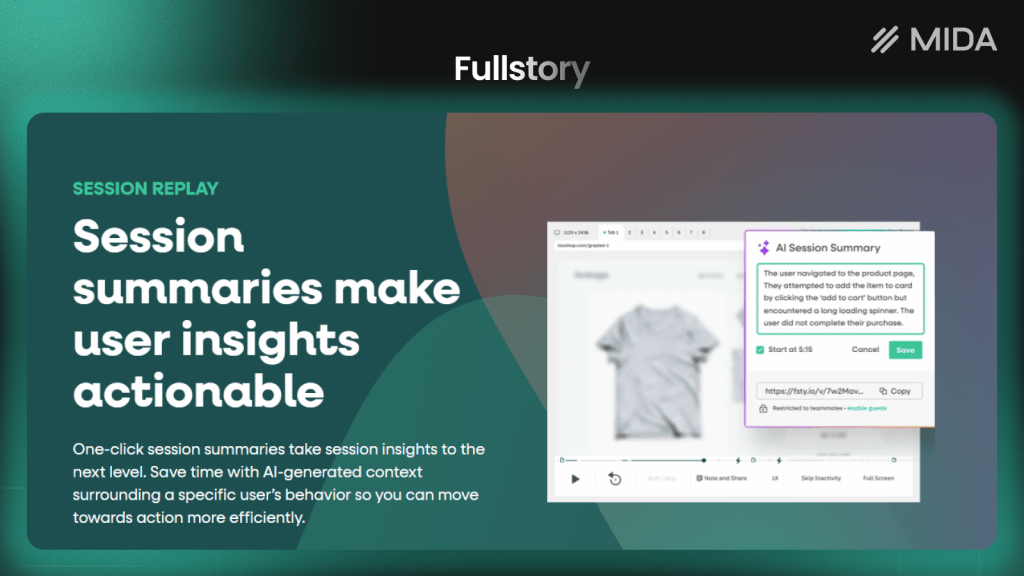
FullStory represents the enterprise end of behavior analytics, offering deep technical analysis capabilities that product and engineering teams appreciate. The platform captures full DOM data, enabling powerful search across sessions—you can find every visitor who encountered a specific error or clicked a particular element.
Frustration signals automatically surface sessions where visitors experienced problems, reducing the time spent hunting for relevant recordings. The funnel analysis helps identify exactly where visitors drop off in multi-step processes.
The enterprise positioning means pricing requires a sales conversation rather than transparent self-service tiers. The learning curve is steeper than simpler tools, making FullStory better suited for teams with dedicated analysts.
Smartlook
Smartlook provides session replay and analytics for both web and mobile apps, making it valuable for merchants with native mobile applications alongside their Shopify store. The event tracking and funnel analysis help identify where visitors drop off across platforms.
The free tier offers limited but functional access to core features, letting you evaluate the platform before committing. For teams managing both web and app experiences, the unified view across platforms simplifies analysis.
The mobile focus becomes less relevant for Shopify-only merchants, and the free tier’s limitations push most serious users toward paid plans relatively quickly.
Mouseflow alternatives pricing comparison
| Tool | Free Plan | Starting Price | Session Limits | Best For |
|---|---|---|---|---|
| MIDA | Yes | Affordable tiers | Varies by plan | Shopify merchants wanting unified analytics |
| Hotjar | Yes (limited) | $32/month | 100 daily sessions on free | Teams wanting feedback tools |
| Lucky Orange | Yes (limited) | $32/month | Varies by plan | Real-time engagement focus |
| Microsoft Clarity | Unlimited | Free only | Unlimited | Budget-conscious starting point |
| Crazy Egg | No | $29/month | Snapshot-based | Heatmap and A/B testing focus |
| FullStory | No | Custom pricing | Custom | Enterprise teams with analysts |
| Smartlook | Yes (limited) | $55/month | 3,000 sessions/month | Web and mobile app analytics |
Mouseflow alternatives feature comparison
| Feature | MIDA | Hotjar | Lucky Orange | Clarity | Crazy Egg | FullStory | Smartlook |
|---|---|---|---|---|---|---|---|
| Session replay | ✓ | ✓ | ✓ | ✓ | ✓ | ✓ | ✓ |
| Heatmaps | ✓ | ✓ | ✓ | ✓ | ✓ | ✓ | ✓ |
| On-site surveys | ✓ | ✓ | Limited | ✗ | ✗ | ✗ | ✗ |
| E-commerce event filtering | ✓ | Limited | Limited | ✗ | ✗ | ✓ | Limited |
| A/B testing | ✗ | ✗ | ✗ | ✗ | ✓ | ✗ | ✗ |
| Native Shopify app | ✓ | ✗ | ✓ | ✗ | ✗ | ✗ | ✗ |
| Free unlimited recordings | ✗ | ✗ | ✗ | ✓ | ✗ | ✗ | ✗ |
How to choose the right Mouseflow alternative
The best tool depends on your specific situation—platform, budget, team size, and what problems you’re actually trying to solve. A free tool that doesn’t capture checkout behavior might cost more in missed insights than a paid tool that shows you exactly where customers abandon.
Prioritize platform integration and checkout visibility
For Shopify merchants, native platform integration matters more than feature lists. Shopify’s checkout lives on a separate hosted domain, and many behavior analytics tools simply can’t record what happens there. If cart abandonment is your primary concern, verify that any tool you’re considering actually captures the checkout flow.
Tools built specifically for Shopify—like MIDA—handle this architecture natively. General-purpose tools might require workarounds or simply leave you blind to checkout behavior.
Match session limits to your store traffic
Calculate whether free tiers or entry plans will actually cover your traffic before committing. A tool offering 1,000 monthly sessions sounds generous until you realize your store gets 500 visitors daily—you’d burn through your allocation in two days.
Consider traffic patterns too. If you run promotions that spike traffic, you might exceed limits during exactly the periods when recording visitor behavior matters most.
Choose unified analytics over multiple tools
Running separate tools for session replay, heatmaps, surveys, and e-commerce analytics creates friction that slows down optimization work. You end up switching between dashboards, trying to correlate data that doesn’t quite match up, and losing context as you jump between platforms.
A unified approach—where you can watch a session, see the heatmap for that page, check survey responses, and filter by purchase behavior all in one place—makes the difference between insights you act on and data you collect but never use.
Tip: Start a free trial of the MIDA app for Shopify to see session replays, heatmaps, and key e-commerce analytics on your own store.
Start improving your store experience with behavior analytics
The best behavior analytics tool is one you’ll actually use consistently. Sophisticated features matter less than whether the platform fits your workflow and surfaces insights you can act on quickly.
Watching real customer sessions transforms how merchants think about their stores. Abstract metrics like “bounce rate” become concrete when you see a visitor land on your product page, scroll past your add-to-cart button without noticing it, and leave. That single observation often sparks more improvement than weeks of staring at analytics dashboards.
For Shopify merchants specifically, tools that understand e-commerce context—filtering by cart abandonment, tracking checkout behavior, connecting sessions to purchase outcomes—deliver more value than general-purpose alternatives with longer feature lists but less relevant insights.
Start a free trial of the MIDA app for Shopify to see session replays, heatmaps, and key e-commerce analytics on your own store.
Frequently asked questions about Mouseflow alternatives
How much does Mouseflow cost compared to free alternatives like Microsoft Clarity?
Mouseflow’s pricing starts around $31/month for limited sessions and scales up based on recording volume, while Microsoft Clarity offers unlimited recordings completely free. The tradeoff is that Clarity lacks surveys and e-commerce event tracking that paid tools provide, so “free” might cost you in missed insights if you’re optimizing for conversions.
Can I use multiple behavior analytics tools on the same store?
Yes, though running multiple tracking scripts can slow page load times and create redundant data. Most merchants find a single comprehensive tool more practical than layering several together. If you do run multiple tools, monitor your site speed and consider whether the additional data justifies any performance impact.
Which Mouseflow alternative works best for Shopify stores specifically?
MIDA is purpose-built for Shopify with native checkout tracking and e-commerce event filtering, while general tools like Hotjar or Clarity require workarounds to capture Shopify-specific purchase behavior. Lucky Orange also offers a Shopify app, though with less e-commerce-specific filtering than MIDA provides.
Do session recording tools comply with GDPR and privacy regulations?
Most major tools including Hotjar, Clarity, and MIDA offer GDPR-compliant recording with options to mask sensitive fields, exclude form inputs, and honor consent preferences. Always verify specific compliance features before implementation, and consider how each tool handles data storage locations if you serve European customers.
What is the difference between heatmaps and session recordings?
Heatmaps show aggregated behavior patterns across all visitors—where people click and scroll most on a page—while session recordings let you watch individual visitor journeys to understand specific friction points and hesitation moments. Heatmaps reveal patterns across your audience; recordings explain why individual visitors behave the way they do.


