Best 7 Session Replay Tools: Complete Comparison for 2026
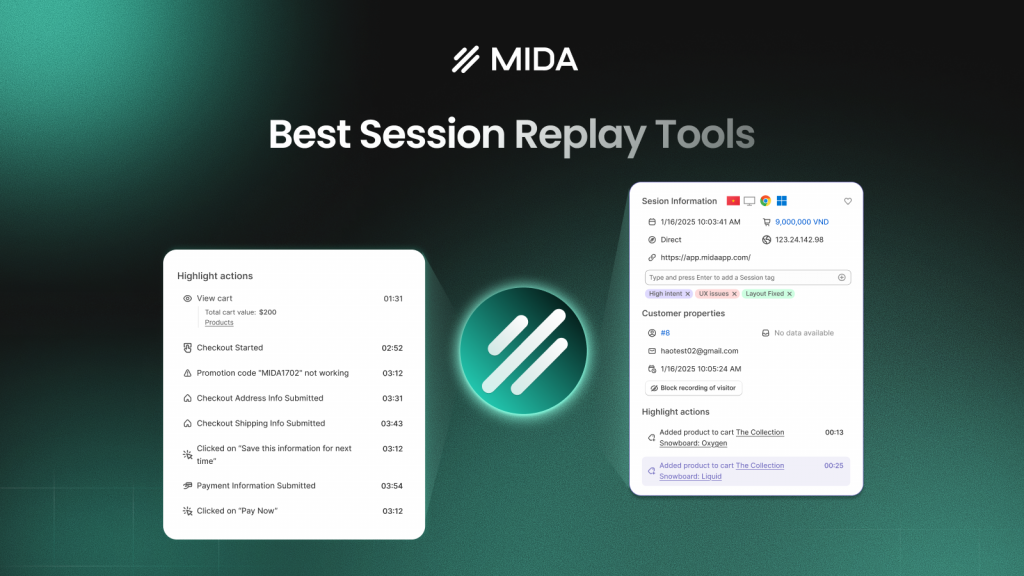
Your analytics show 500 visitors landed on your product page yesterday, but they can’t tell you that 400 of them rage-clicked your size chart before leaving. Session replay tools fill that gap—recording clicks, scrolls, and hesitations so you can watch exactly what happened during each visit.
With dozens of session replay platforms available, choosing the right one means understanding what actually matters for your use case. This comparison breaks down the seven leading tools, covering features, pricing, and which types of teams each one serves best.
What Is Session Replay Software
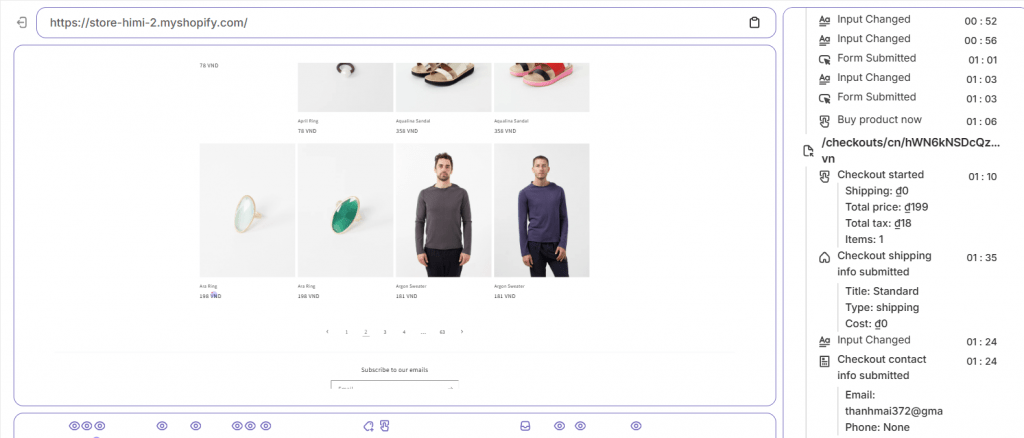
Session replay software records user interactions on your website—clicks, scrolls, mouse movements, form inputs—and reconstructs them as video-like playback. Think of it as a DVR for your site: you watch exactly what a visitor did during their session without recording actual video footage. Tools like MIDA, PostHog, FullStory, Hotjar, and Microsoft Clarity capture these interactions to help teams visualize digital experiences, identify pain points, and debug issues.
The technology works by logging DOM changes (the structure of your webpage) and user events, then rebuilding them into a watchable replay. This approach creates smaller file sizes than actual screen recording and allows for better privacy controls, since sensitive data can be masked automatically.
Why Session Replay Tools Matter for Conversion Optimization
Your analytics dashboard tells you what happened—500 visitors landed on your product page, 50 added to cart, 10 purchased. Session replay shows you why the other 490 didn’t convert. Instead of guessing where visitors get stuck, you watch the friction firsthand: the confusing navigation, the button that doesn’t respond, the form field that causes hesitation.
For ecommerce specifically, every abandoned cart represents lost revenue—often driven by session patterns that kill conversions. You might know that 70% of shoppers abandon checkout, but replays reveal which step causes the drop-off and what behavior preceded it.
Here’s what teams typically uncover:
- Rage clicks: Repeated clicking on an element that isn’t responding, signaling frustration with a broken or confusing component—these users convert at just 0.9% compared to 4.1% for those with smooth experiences
- Form abandonment: Hesitation on specific fields reveals which inputs cause friction—unclear labels, validation errors, or privacy concerns. 18% of shoppers abandon orders specifically due to checkout complexity
- Hidden bugs: JavaScript errors that only appear under certain conditions become visible when you watch the sessions where they occurred
- A/B test context: Quantitative results tell you which variant won; replays show how users interacted differently with each version
Key Features to Look for in Session Replay Tools
Not every session replay tool offers the same capabilities. The differences matter more than you might expect when you’re trying to diagnose conversion problems quickly.
Behavioral Tracking and Event Capture
The foundation of any session replay tool is its ability to capture user interactions accurately. Look for tools that record clicks, scrolls, hovers, form inputs, and moments of hesitation or inactivity. Some tools capture more granular data than others—the best ones track dynamic content changes, AJAX requests, and single-page application navigation.
Recording quality varies significantly between platforms. A tool that misses key moments or fails to capture certain page types leaves gaps in your understanding of user behavior.
Session Filtering and Segmentation
Recording thousands of sessions is easy. Finding the relevant ones is the challenge.
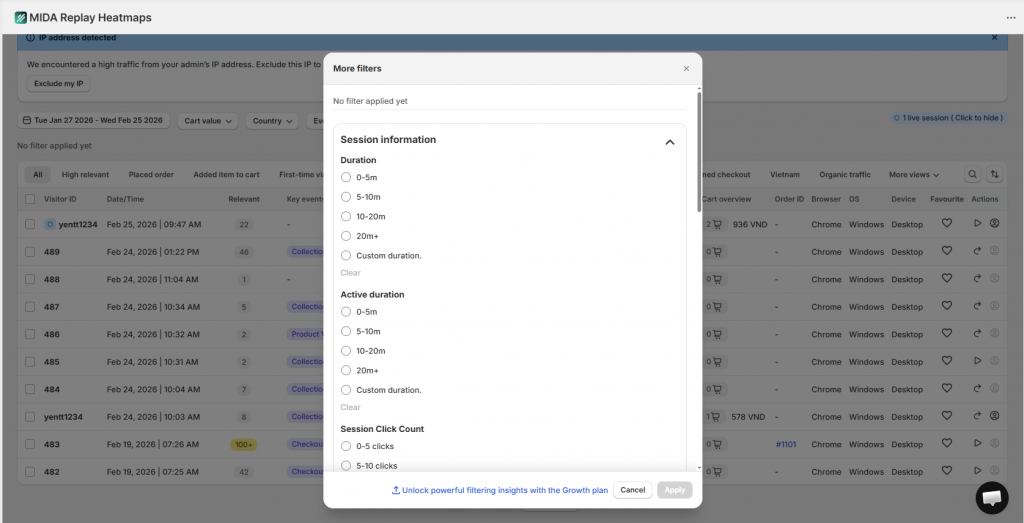
Effective filtering lets you narrow down to specific behaviors (rage clicks, cart abandonment), traffic sources (paid ads, organic search), devices, locations, or custom events. The ability to save filter combinations as reusable “Views” saves significant time when you’re regularly monitoring specific user segments.
Heatmaps and Click Tracking Integration
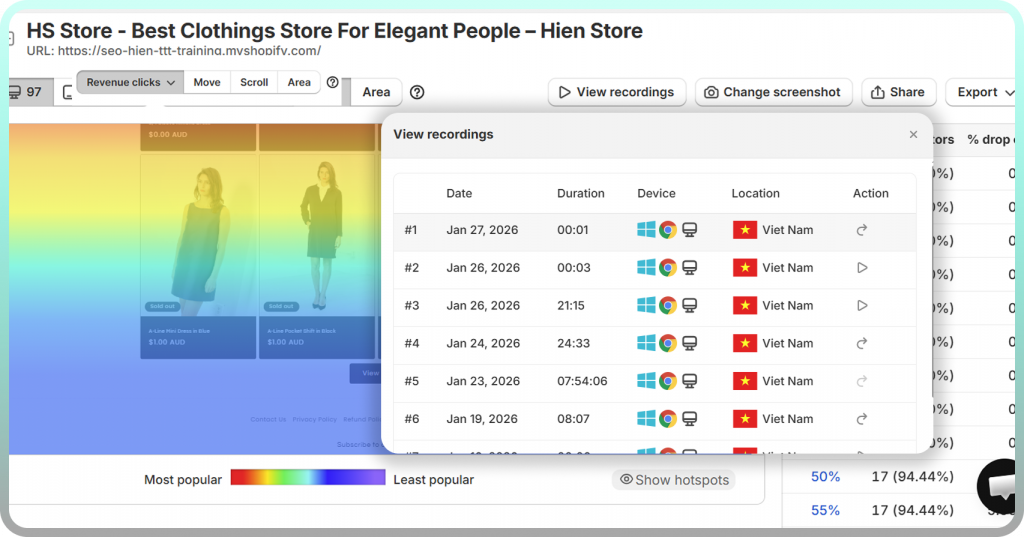
Heatmaps complement session replays by showing aggregate patterns across many users. While a replay shows one person’s journey, a heatmap reveals where most visitors click, how far they scroll, and which areas get ignored.
The most useful tools bundle multiple heatmap types: click maps showing where users click (and where they click but nothing happens), scroll maps revealing how far down visitors typically reach, and move maps indicating where cursor attention concentrates. When heatmaps and replays are integrated, you can spot a problem area in aggregate data, then drill into individual sessions to understand the behavior in context.
Privacy Controls and Compliance
Session recording captures sensitive user interactions, which means privacy controls are essential. Look for automatic masking of passwords, credit card numbers, and personal information. GDPR and CCPA compliance features—including consent management and data retention controls—protect both your users and your business.
Performance Impact on Site Speed
Every script you add to your website can affect page load times—conversion rates drop 4.42% with each additional second of load time. Session replay tools vary widely in their performance impact. Some use lightweight, asynchronous loading that barely registers; others can noticeably slow down your pages. Before committing to any tool, test its impact on your Core Web Vitals.
AI-Powered Insights and Session Prioritization
Modern session replay tools increasingly use AI to surface important recordings automatically. Instead of manually reviewing hundreds of sessions, you can focus on those flagged for errors, frustration signals, or high conversion potential. Relevance scoring—where sessions are ranked by their likely importance—saves hours of review time.
The 7 Best Session Replay Tools Compared
This comparison covers the leading session replay platforms with honest assessments of their strengths, limitations, and ideal use cases.
| Tool | Best For | Heatmaps | Ecommerce Focus | Free Plan |
| MIDA Session Replay | Shopify Stores | Yes | High | Yes |
| Hotjar | General UX/Startups | Yes | Low | Yes |
| FullStory | Enterprise Teams | Yes | Medium | No |
| Microsoft Clarity | Beginners/Budget | Yes | Low | Yes |
| LogRocket | Developers/SaaS | No | Low | Yes |
| Mouseflow | Mid-Market Teams | Yes | Medium | Yes |
| Lucky Orange | Live Support/SMBs | Yes | Medium | Yes |
MIDA Session Replay
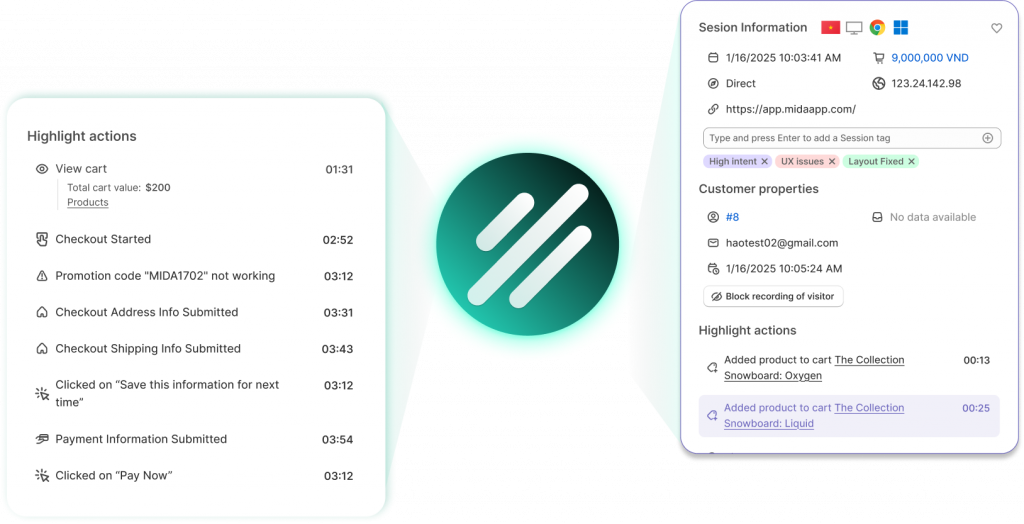
MIDA is built exclusively for Shopify, which means every feature is designed around ecommerce workflows. Session replays include commerce context that generic tools can’t access: cart value, checkout steps, order outcomes, and customer profiles.
The relevance scoring system prioritizes sessions with high revenue impact—abandoned checkouts, first purchases, frustrated visitors—so you’re not wading through irrelevant traffic. Full integration with MIDA’s heatmaps and analytics creates a unified view of behavior and outcomes. For Shopify merchants specifically, the ability to record checkout events (which many general tools miss entirely) provides visibility into the most critical part of the customer journey.
Hotjar
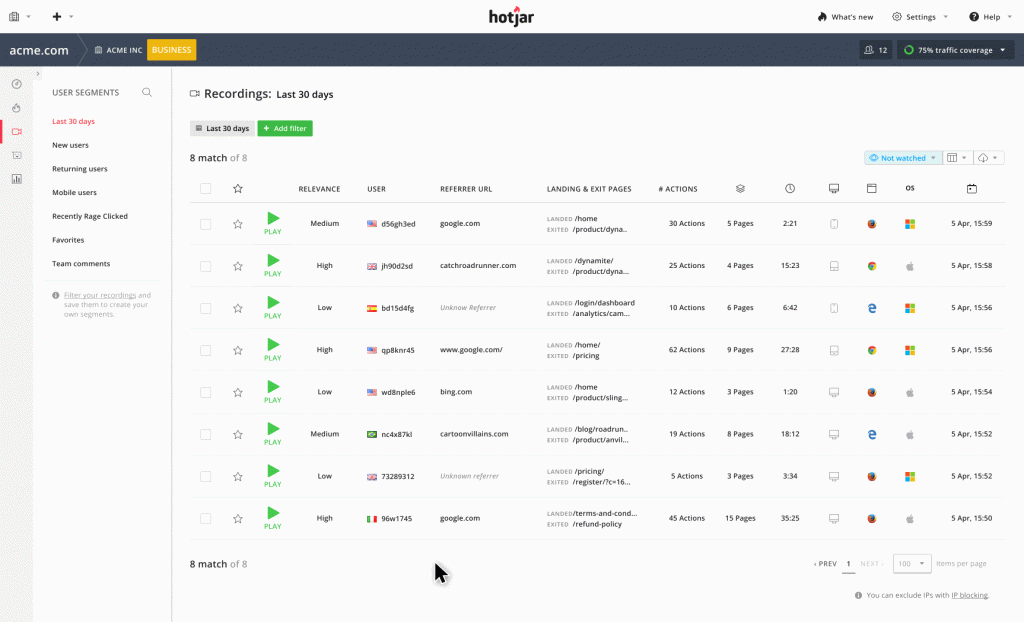
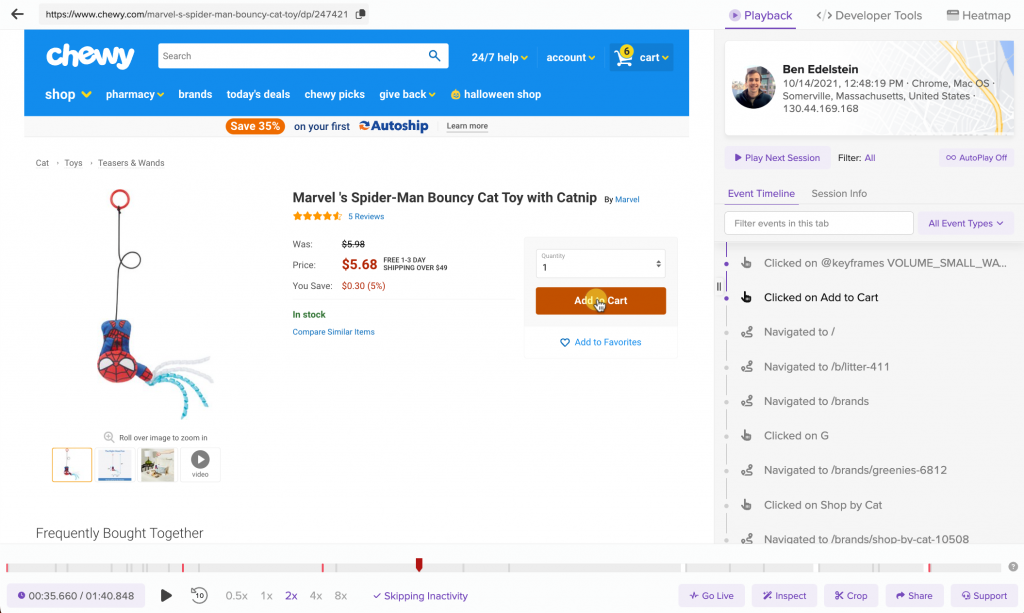
Hotjar is one of the most recognized names in behavioral analytics, known for its clean interface and ease of use. It bundles session replays with heatmaps, feedback widgets, and surveys in a single platform.
The tool works well across many website types and offers a generous free tier. However, it lacks deep ecommerce-specific features—you won’t get cart value context, checkout-specific recording, or revenue attribution without significant manual configuration.
FullStory
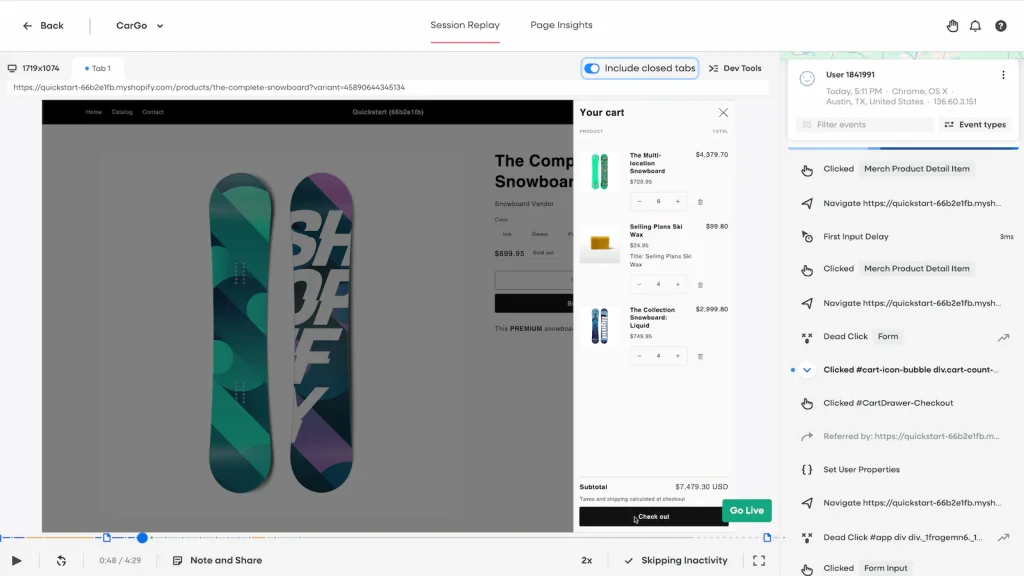
FullStory is an enterprise-grade platform with powerful search and AI capabilities. You can search for almost any user interaction imaginable, making it valuable for teams with complex analysis requirements.
The trade-off is complexity and cost. FullStory’s pricing puts it out of reach for smaller teams, and its feature depth can be overwhelming for those who want straightforward answers about user behavior.
Microsoft Clarity
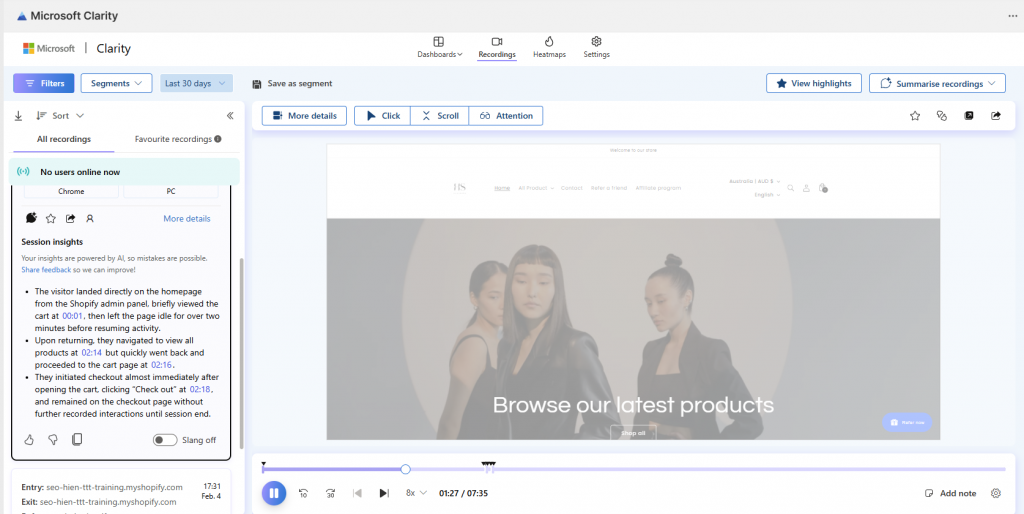
Clarity is completely free, with no session limits and AI insights, making it an excellent starting point for beginners or businesses testing session replay for the first time. It includes basic heatmaps and integrates with Microsoft’s broader analytics ecosystem.
The limitations become apparent as your analysis requirements grow: filtering capabilities are basic, there’s a limit to commerce-specific context, and the insights you can extract are more limited than paid alternatives.
LogRocket
LogRocket focuses on developer requirements, excelling at error tracking and debugging. It captures console logs, network requests, and technical context that helps engineering teams understand what went wrong during problematic sessions.
This technical focus makes it ideal for SaaS products and development teams, but less useful for ecommerce marketing and UX teams who want revenue-focused insights rather than debugging data.
Mouseflow
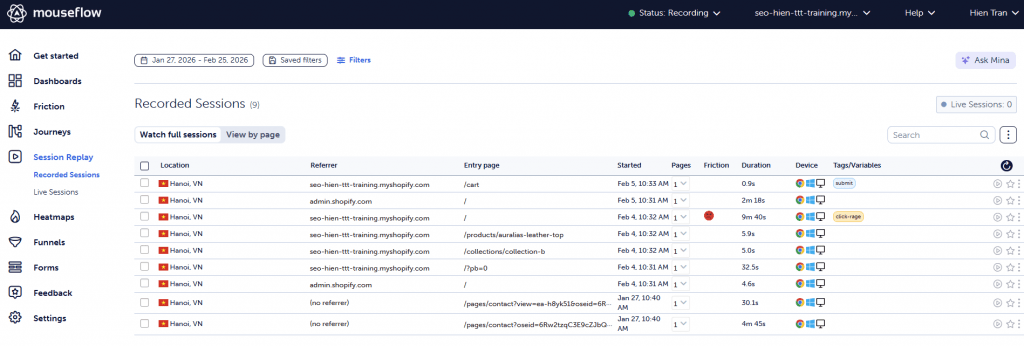
Mouseflow offers a solid balance of features at mid-market pricing: session replay, heatmaps, form analytics, and funnel tracking. It’s a capable general-purpose tool that works across various website types.
For ecommerce specifically, Mouseflow provides less specialized functionality than purpose-built tools. You can make it work, but you’ll spend more time configuring and less time gaining insights.
Lucky Orange
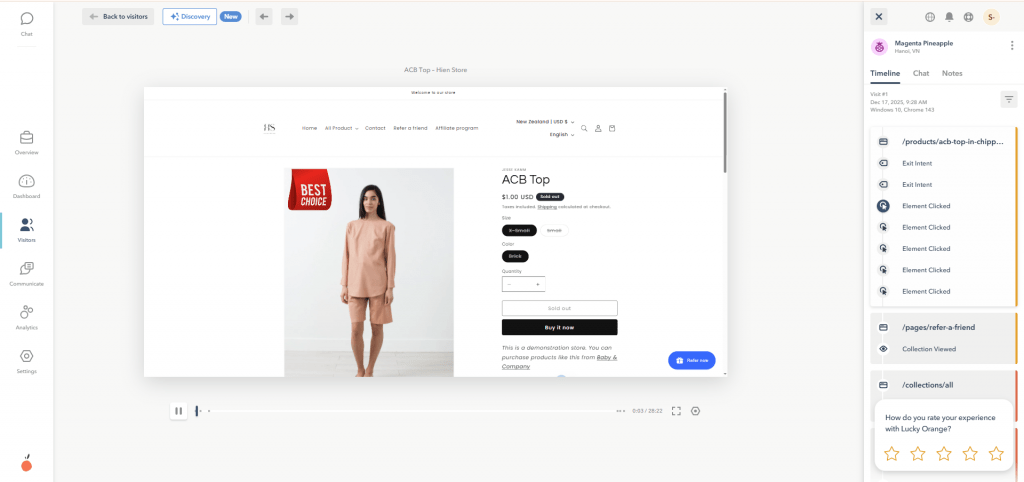
Lucky Orange differentiates itself with real-time visitor monitoring and live chat integration—you can watch visitors browse and initiate conversations while they’re on your site. This makes it popular for businesses that prioritize direct customer engagement.
While Lucky Orange has a Shopify app, some users report reliability issues with session recording and data accuracy. The tool offers breadth of features but less depth in any single area.
Session Replay Pricing and Plans
Pricing models vary across the industry. Understanding the structure helps you anticipate costs as your traffic grows.
- Session limits: Most tools cap monthly recordings, with higher tiers offering larger volumes
- Data retention: How long recordings are stored (30 days to 1+ year) often depends on your plan
- Feature gating: Advanced capabilities like AI insights, funnel analytics, and API access typically require premium tiers
- User seats: Some platforms charge per team member who requires access
Free tiers are common but vary in usefulness. Some offer meaningful functionality for evaluation and small-scale use; others are so limited they’re essentially extended trials.
How to Compare Session Replay Solutions for UX Optimization
Choosing the right tool requires hands-on evaluation. During free trials, focus on answering a few key questions.
First, does the tool capture what you actually want to analyze? Test whether it accurately records dynamic content, single-page navigation, and critical flows like checkout. Second, can you find relevant sessions quickly? Try locating a session where someone abandoned a cart with a specific item or encountered an error.
Third, does it integrate with your existing stack? Check connections to your analytics platform, A/B testing tool, and project management software. Fourth, what’s the performance impact? Measure your site speed before and after implementing the tracking script. Finally, will your team actually use it? The most powerful tool is worthless if the interface is too complex for regular use.
Best Ecommerce Session Replay Tools for Shopify Stores
Ecommerce stores have distinct session replay requirements that generic tools often can’t address. When user behavior directly ties to revenue, you want more than basic behavioral tracking.
What Ecommerce Teams Need From Session Replay
Revenue-focused analysis requires commerce-specific features. Checkout recording matters because many tools can’t capture Shopify’s checkout pages, leaving you blind to the most critical conversion point. Cart context matters because seeing what’s in a visitor’s cart during their session adds crucial context to their behavior.
Revenue attribution helps prioritize which friction points to fix first. Product page analysis reveals how shoppers interact with images, descriptions, and reviews. Generic tools can track clicks and scrolls, but they can’t tell you that the visitor who rage-clicked your size chart had $400 in their cart.
Top Session Recording Tools for Product Analytics
Session replay becomes most powerful when integrated with broader product analytics. The best tools connect behavioral data to business outcomes, allowing you to answer questions like: “Do visitors who watch product videos convert at higher rates?” or “Which traffic sources bring engaged shoppers versus quick bouncers?”
For Shopify merchants, MIDA’s integration of session replay with ecommerce analytics and heatmaps creates a single source of truth for understanding how behavior drives revenue.
Privacy and Cookieless Analytics Considerations
Privacy regulations continue to evolve, and your session replay tool has to keep pace. GDPR, CCPA, and similar frameworks require clear consent mechanisms and responsible data handling.
“Cookieless” session replay means the tool can track behavior without relying on persistent third-party cookies—increasingly important as browsers phase out cookie support. Look for tools that offer automatic PII masking for sensitive fields, configurable consent management, clear data retention policies, and options for data residency (where your data is stored geographically).
Find the Best Session Replay Software for Your Store
The right session replay tool depends on your specific situation: your platform, budget, technical resources, and what questions you’re trying to answer.
For Shopify merchants focused on revenue optimization, a Shopify-native tool like MIDA provides the commerce context that generic platforms lack. You see not just what visitors did, but how their behavior connects to carts, checkouts, and orders. For general websites or those just starting with behavioral analytics, tools like Hotjar or Microsoft Clarity offer accessible entry points. Developer-focused teams building SaaS products may find LogRocket’s technical depth more valuable.
FAQs About Session Replay Software
What is the difference between session replay and screen recording?
Session replay reconstructs user interactions from event data rather than recording actual video of the screen. This approach results in much smaller file sizes and enables better privacy controls—sensitive information can be automatically masked from the reconstruction in ways that wouldn’t be possible with true video recording.
Does session replay software slow down my website?
Most modern tools are designed for minimal performance impact, loading scripts asynchronously so they don’t block page rendering. However, implementation quality varies by vendor. Testing your site speed before and after adding any tracking script is always wise.
Can session replay tools track mobile app users?
Some enterprise platforms offer mobile SDKs for native iOS and Android apps. The web-based tools discussed here typically capture browser sessions on mobile devices but not activity within separate native apps.
How many sessions should I record per month?
The right volume depends on your traffic and how often you’ll review recordings. Many teams find it more effective to record all sessions and use powerful filtering to find relevant ones, rather than sampling a small percentage and potentially missing important patterns.
Is session replay software GDPR compliant?
Session replay can be GDPR compliant with proper configuration: implementing consent banners, automatically masking personal data, and setting appropriate retention policies. The tool itself doesn’t determine compliance—your implementation does.
Which session replay tool works best with Shopify stores?
Shopify-native tools like MIDA typically offer deeper commerce integration, including checkout recording and cart data context. General-purpose tools can work but often require more manual configuration to achieve similar insights.
Can I export session replay data to my data warehouse?
Some platforms, typically at enterprise tiers, offer APIs or native integrations with BI tools like BigQuery or Snowflake. This is usually a premium feature for teams wanting to combine behavioral data with other business metrics.
How do session replay tools identify the most important sessions to watch?
Advanced tools use relevance scoring and AI to surface high-impact sessions automatically. They analyze signals like rage clicks, JavaScript errors, high cart values, and checkout abandonment to prioritize recordings likely to contain valuable insights.
See Your Store Through Your Customers’ Eyes
Stop guessing why shoppers leave. Watch real sessions, see exactly where they get stuck, and turn abandoned carts into revenue.


