





See Every Customer Journey, Moment by Moment
Watch real visitors browse, hesitate, and buy on your Shopify store.
MIDA Session Replay shows you exactly what happens between landing and checkout, so you can fix friction, reduce abandonment, and grow revenue with confidence.
Trusted by 5000+ Shopify Merchants
300+ Five star rating on Shopify App Store


See Every Shopify Session
As It Really Happened
Session Replay in MIDA captures the full journey of each visitor, so you can:
- Watch sessions like a movie – Play back any visit from landing to exit.
- Follow the real customer flow – See which pages they visit, in what order, and where they drop off.
- Spot friction instantly – Watch cursors hover in confusion, fields get re-typed, or buttons get rage-clicked.
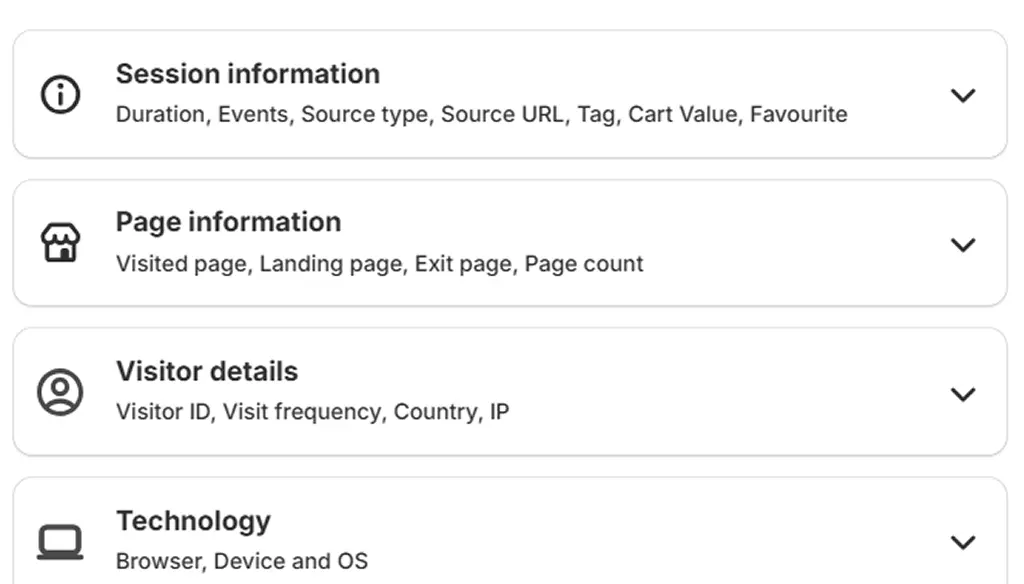
Each recording comes with rich context:
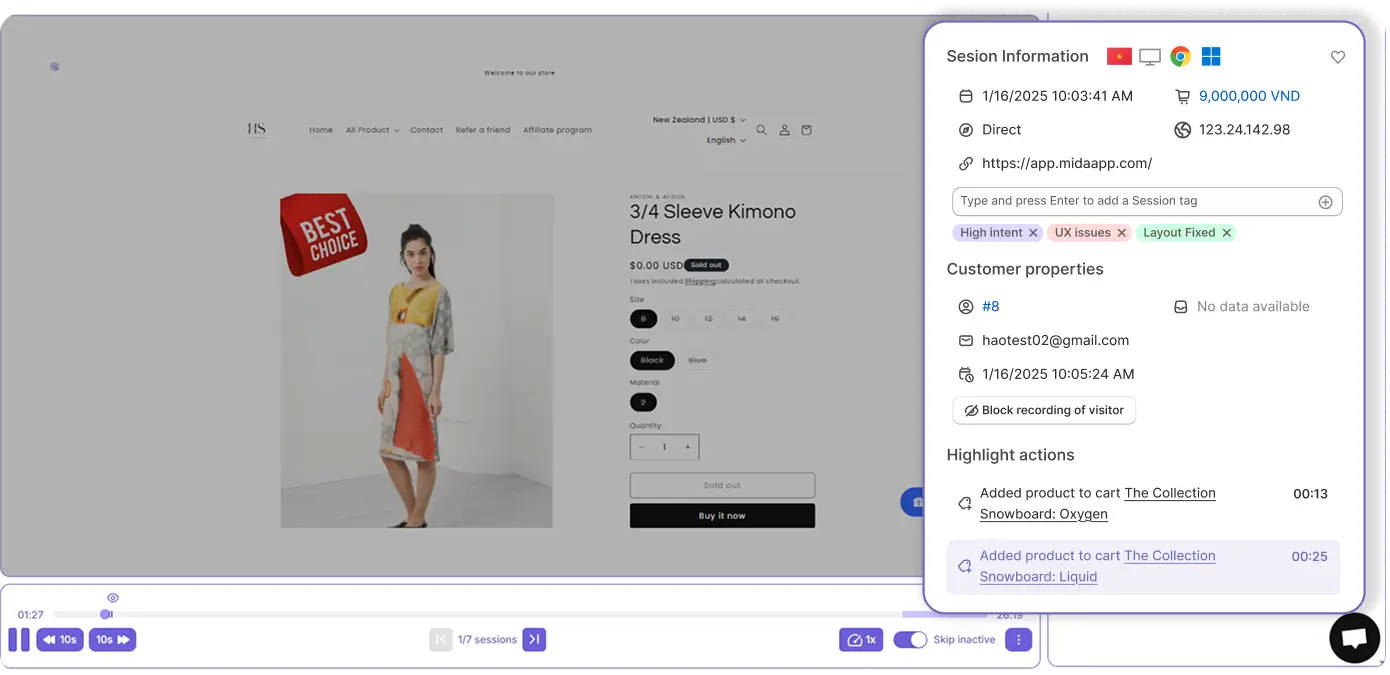
- User properties – Visitor ID, customer email (when available), last active.
- Session properties – Date/time, location, device, OS, browser, IP, source type & URL.
- Commerce signals – Cart value, checkouts started, purchases.
See Every Shopify Session
As It Really Happened
Because MIDA is Shopify-native, Session Replay is optimized for ecommerce teams, not generic analytics users.
Segment by real Shopify behavior
Quickly surface recordings for:
- Placed order
- Added item to cart
- Abandoned cart
- Abandoned checkout
- Logged-in customers
- First-time vs returning visitors
- Organic traffic visitors
- Engaged visitors (multiple pages, meaningful active time)
- Frustrated visitors (rage clicks or shaky mouse)
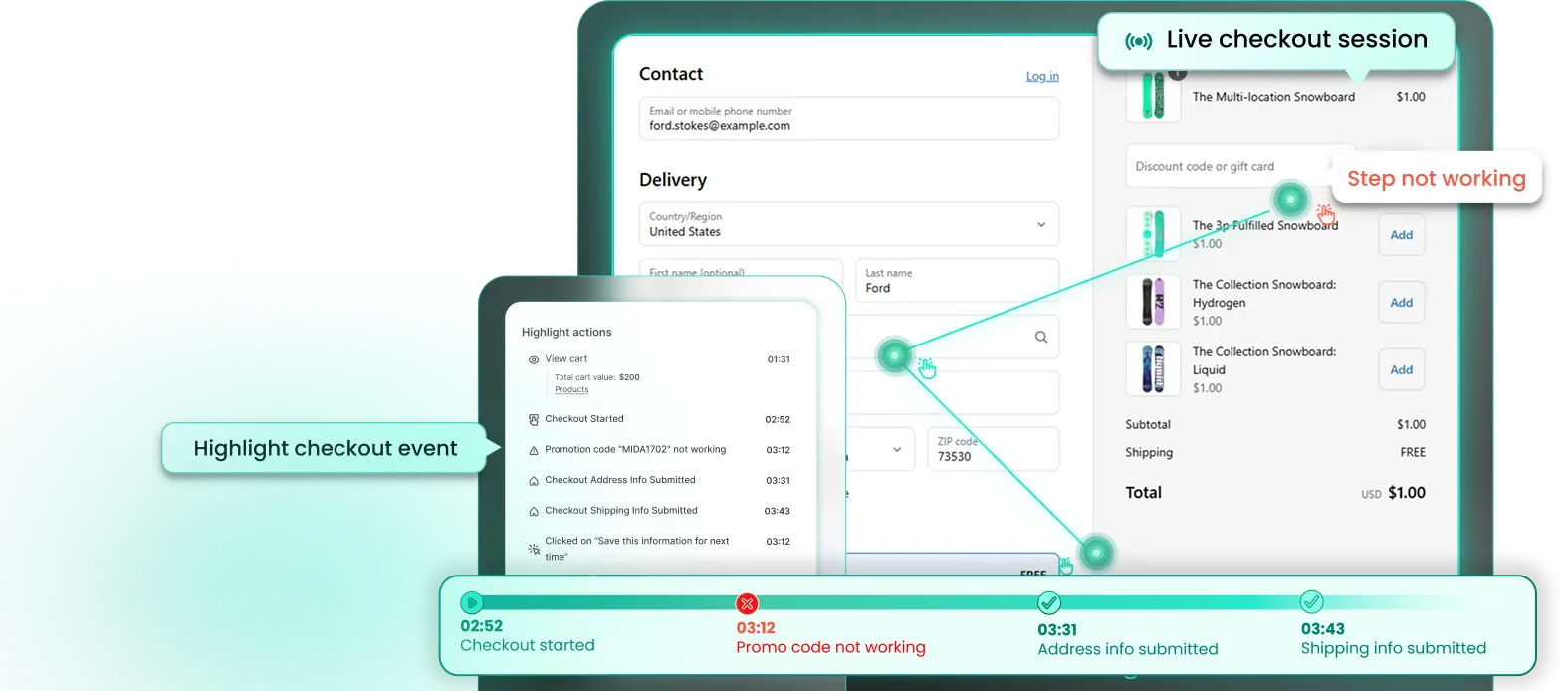
Advanced record for checkout page
Replay real checkout sessions to see where shoppers hesitate, struggle, or abandon before completing payment.
Zoom in from analytics to replays
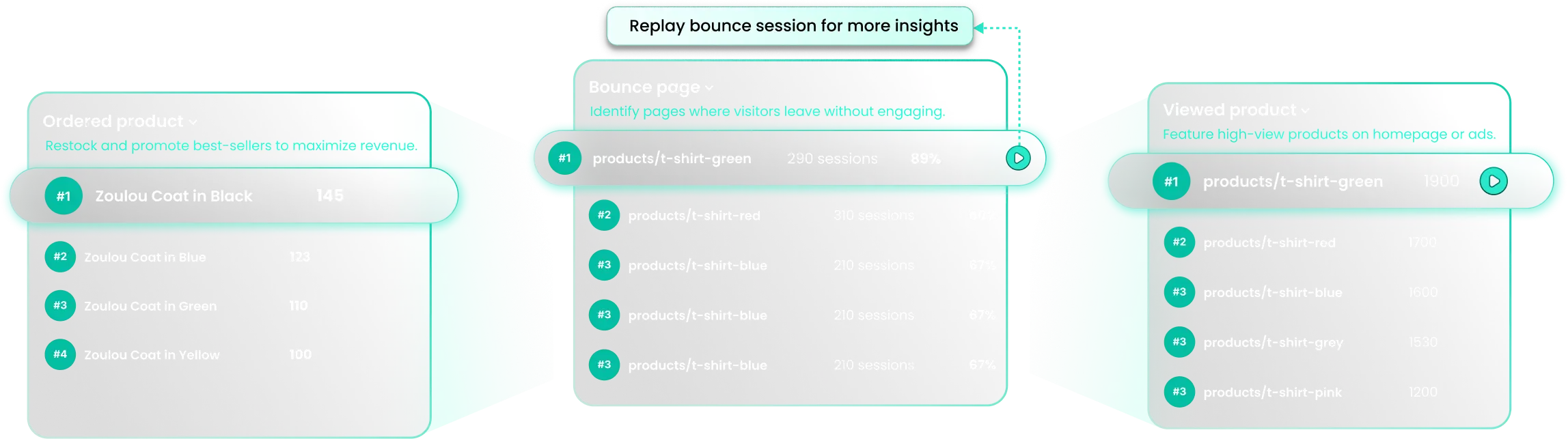
Start from key pages and funnels in MIDA Analytics or Heatmaps, then jump straight into the sessions that matter most.
Find the High-Impact Sessions First
You don’t have time to watch hundreds of random recordings. MIDA is designed to surface the most valuable sessions for you.
Relevance Score: Watch What Matters
MIDA automatically ranks sessions using signals like activity, pageviews, purchases,..bringing the most engaged, high-intent, or potentially frustrated visitors to the top, so you know exactly which sessions to watch first.
Advanced Filters for Targeted Analysis
Filter sessions by behavior, pages, device, location, traffic, or cart value, then save them as reusable Views to instantly analyze key scenarios like abandoned checkouts or high-value carts.
Watch, Analyze, and Act in Minutes
You don’t have time to watch hundreds of random recordings. MIDA is designed to surface the most valuable sessions for you.
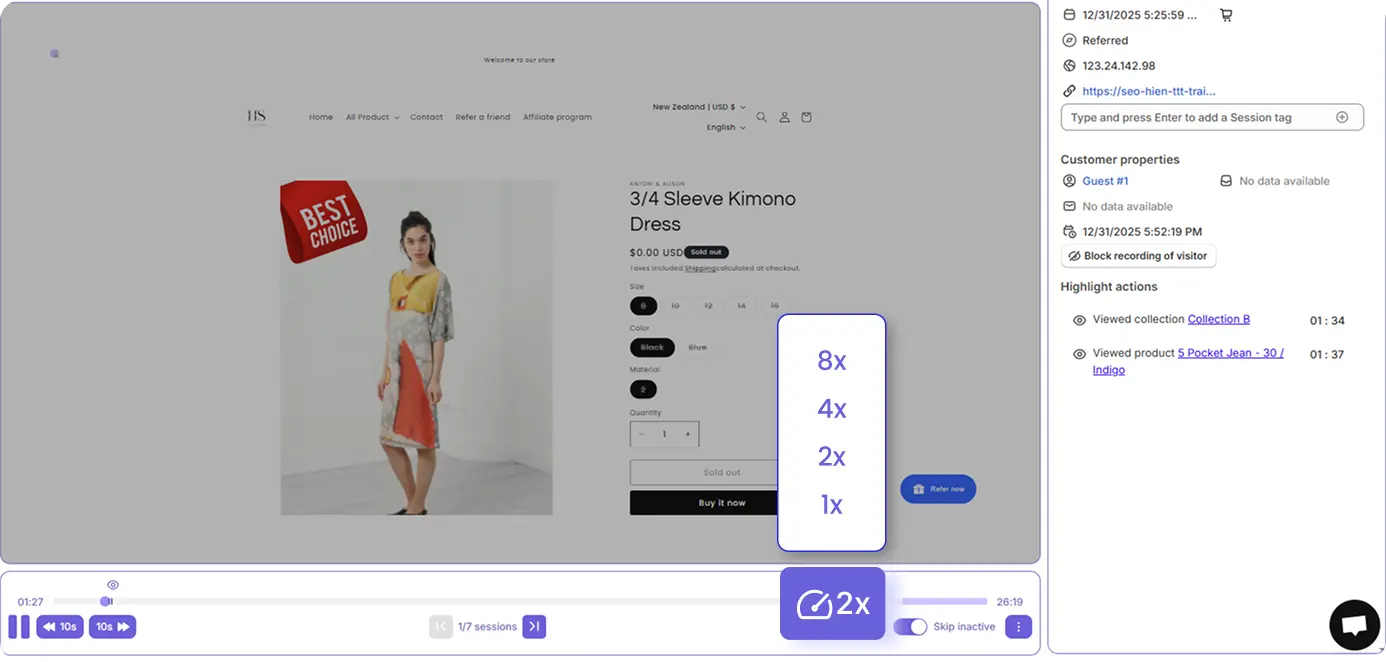
This lets you skim a 10-minute journey in under a minute, while still catching the critical moments: hesitation, confusion, or checkout friction.
See who the visitor is, where they came from, and their revenue impact—all in one session view, so you know instantly whether the behavior you’re watching actually matters to your business.
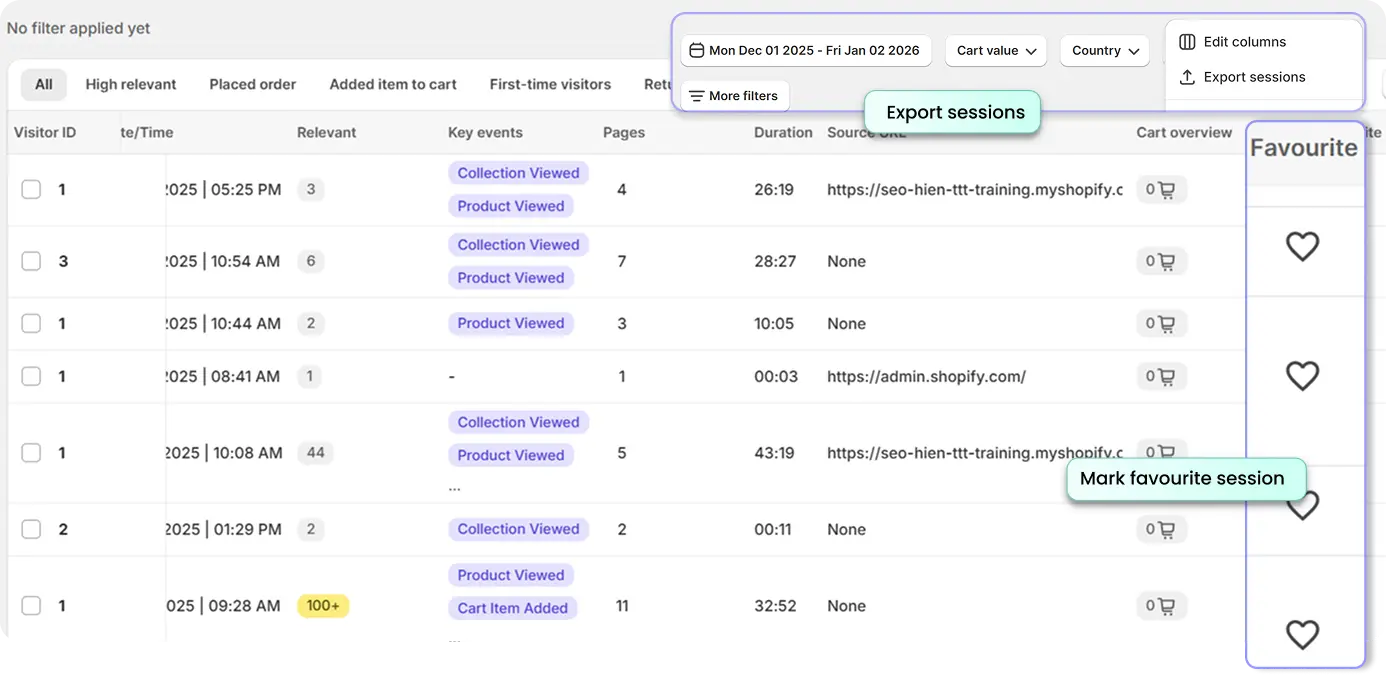
Organize sessions into clear, shareable insights by tagging key issues, saving important recordings, and exporting session data to review or combine with your team’s analysis.
Everyday Use Cases for Shopify Teams
Session Replay quickly becomes a daily habit for high-performing ecommerce teams. Common workflows include:
Reduce Cart and Checkout Abandonment
- Filter by Abandoned cart or Abandoned checkout.
- Watch where visitors hesitate, delete items, or get stuck.
- Spot issues like: Confusing shipping options, discount codes not applying or unexpected fees or layout issues on mobile
- Fix and re-check with new recordings to validate improvements.
Optimize Product Pages for Conversion
- Watch First-time visitors on key product pages.
- See whether they scroll to essential details (size guides, reviews, USPs).
- Combine with scroll and click heatmaps to redesign:
- Above-the-fold content
- Image gallery behavior
- Placement of “Add to Cart” and trust elements.
Troubleshoot UX Bugs and Frustrations
- Filter sessions with rage clicks or shaky mouse (frustrated visitors).
- Identify broken links, misfiring scripts, or non-clickable elements that look interactive.
- Use event-rich recordings to give your dev team concrete examples, not vague bug reports.
Having a hard time to decide?
Chat with your favorite AI chat assistant or book a demo with our experts to learn more about MIDA and how it can help your business!
What our users says
Real merchants. Real growth. Real insights.
Ms.Rose
I have been using the MIDA app for a while now, had a great experience with the customer service, very helpful and Lucy has been a great help. Also, I find the app very useful, especially being able to keep up with how customers are behaving, I recommend this app to anyone looking for more insight into their customer's behaviour.

Hannah Foster
Thank you so much to the quick response with the chat feature with your team. I am so grateful for your service. I was able to get up and running in no time and the features of this app are just the perfect fit I was looking for, for my business. Tracking and setting up are easy and very informative.

Jacob Rivera
I've been using this app to check my customers journey around my website and to recognise any issues or lack of information. This app helped me a lot, as I was able to see which pages need a bit more focus and what's user behaviour. Contact with the team is great, answering questions and replying promptly. I highly recommend this app.

Noah Harris
Mida Heatmap is a great app, but what really made the difference for me was the support from Chloe. She went above and beyond to guide me through setup and explain how to actually use the data to improve my store. Everything was clear, friendly, and fast — I felt supported the whole way. Having someone who really understands both the tool and ecommerce is a huge plus. Highly recommend!

Frequently Asked Questions
Does MIDA slow down my Shopify store?
MIDA is built for Shopify and optimized to avoid impacting page load. Tracking runs asynchronously so visitors get a smooth experience.
What exactly gets recorded in a session replay?
MIDA records visual interactions with your store (page views, clicks, scrolls, movements, form interactions) and session context (device, location, source, cart value, etc.). Sensitive fields can be managed through your store’s practices and MIDA’s exclusion controls.
Can I share recordings with my team or agency?
Yes. You can tag and favorite recordings, export session lists as CSV, and collaborate using saved Views so everyone is looking at the same segments.
How does MIDA handle GDPR and privacy?
MIDA offers IP and country exclusions, optional cookies bar for consent, and controlled email collection based on Shopify data. You decide what to collect and from whom.
Can non-analysts use Session Replay?
Yes. Designers, marketers, and founders regularly use MIDA. Replays feel like watching a video — anyone can understand what’s going wrong without reading complex charts.